Attach pictures and screenshots to your suggestions
When you suggest a feature or ask for an improvement, you can now attach up to five pictures by picking, pasting or dropping them. They stay with your suggestion, and only you and the support team can see them.
Product update 1 min read
What changed
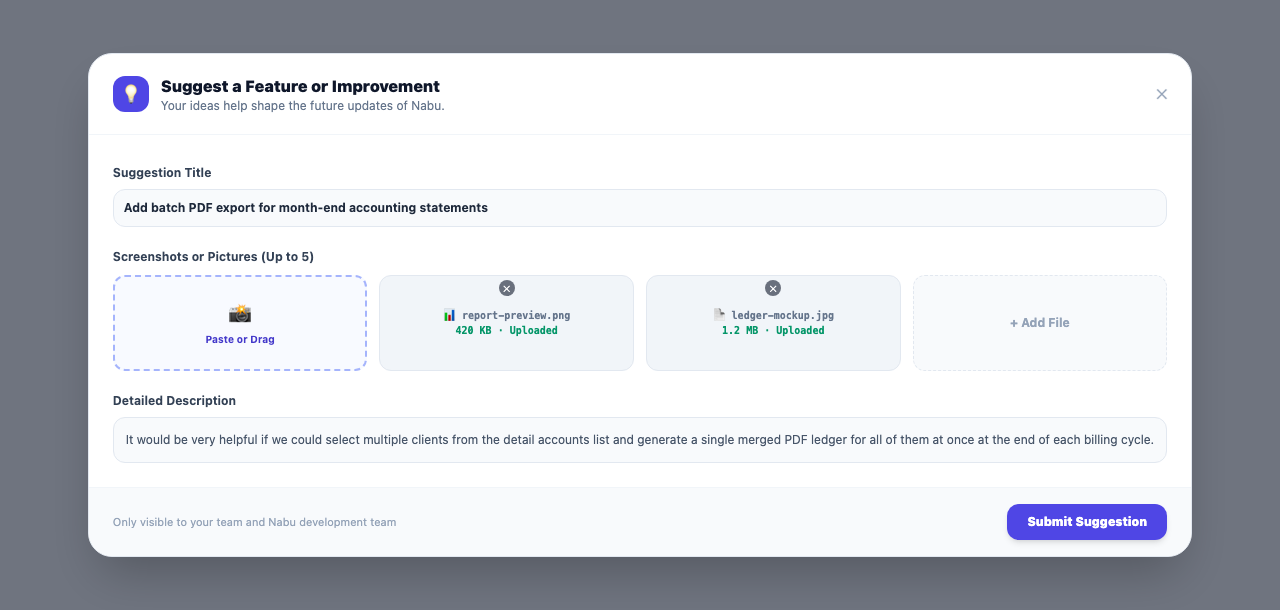
An idea or a problem is much easier to explain with a picture. The "Suggest a feature" form now has a "Screenshots or pictures" section. Add up to five JPG, PNG, WebP or GIF images, up to 5 MB each. Pick files, paste a screenshot straight into the form, or drag and drop.
The pictures show under your suggestion in "Your suggestions" and open full size in one click.
How to use it
- From the account menu or "Settings", open Suggest a feature.
- Choose the kind of suggestion and write a title and description.
- Under "Screenshots or pictures", press "Choose pictures", or paste or drop images into the form.
- Press "Send the suggestion".
Good to know
- Only you and the Nabu support team can see the pictures.
- When your suggestion ships, we let you know with a link to its "what's new" post.