A customer taken off your business can come back for 30 days
Removing a customer from your business is no longer final. The customer's lists, tags, history, follow-ups and files are kept for 30 days, and one button on the Change log puts them back.
Product update 2 min read
What changed
- When you take a customer off your business with "Remove from …", everything it deletes is set aside first: their list rows and tags, calls and notes, follow-ups, the people beside them, introductions, custom fields and files. If nobody else had the person and their file was deleted outright, the file itself is kept too, under the same id.
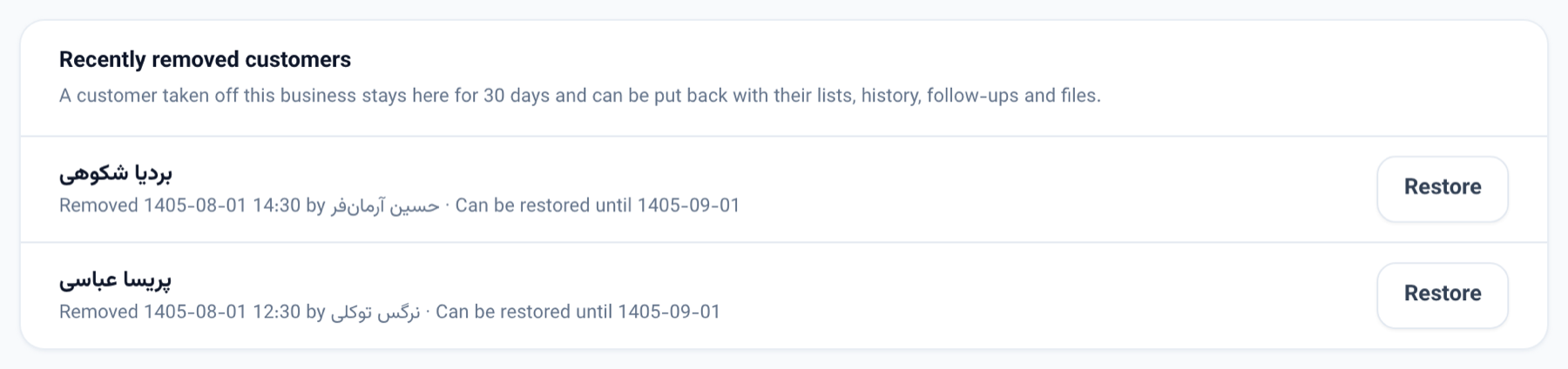
- The Change log has a new "Recently removed customers" section: who was removed, when, by whom, and until when they can come back. The customer's own "Deleted" row in the list of changes carries a "Restore" button as well.
- "Restore" puts everything back exactly as it was, and the Change log records it as "Restored".
- In the console you can ask who was removed this month and restore one.
How to use it
- Go to Business settings → Change log.
- Find the customer under "Recently removed customers".
- Click "Restore". The file comes back to your business with its lists, history, follow-ups and files.
Good to know
- Restoring is for someone who manages the business. The list is shown to anyone who can read the Change log.
- After 30 days the kept copy and its files are deleted for good.
- When a restore cannot be exact, nothing changes and the reason is shown — for example, the person has been added to your business again since, their number now belongs to another customer's file, or a list they were on has been deleted.
- If the person asks to be forgotten, every kept copy of them, in every business, is deleted too, and they can no longer be restored.
- Journeys the removal stopped stay stopped, so overdue messages are not sent all at once. Board tasks, chat rooms, reviews, voice calls and AI employee jobs that were let go of are not linked back to them.
- Other businesses that have this person learn of neither the removal nor the restore.