A message Telegram did not deliver reaches the customer on Bale, Eitaa, Rubika or SMS
Reminders, SMS campaigns and journey steps can now go first to the customer's chat with your own bots, and to the next channel when one does not get through. And SMS can go only to customers who agreed to it, if you want.
Product update 3 min read
What changed
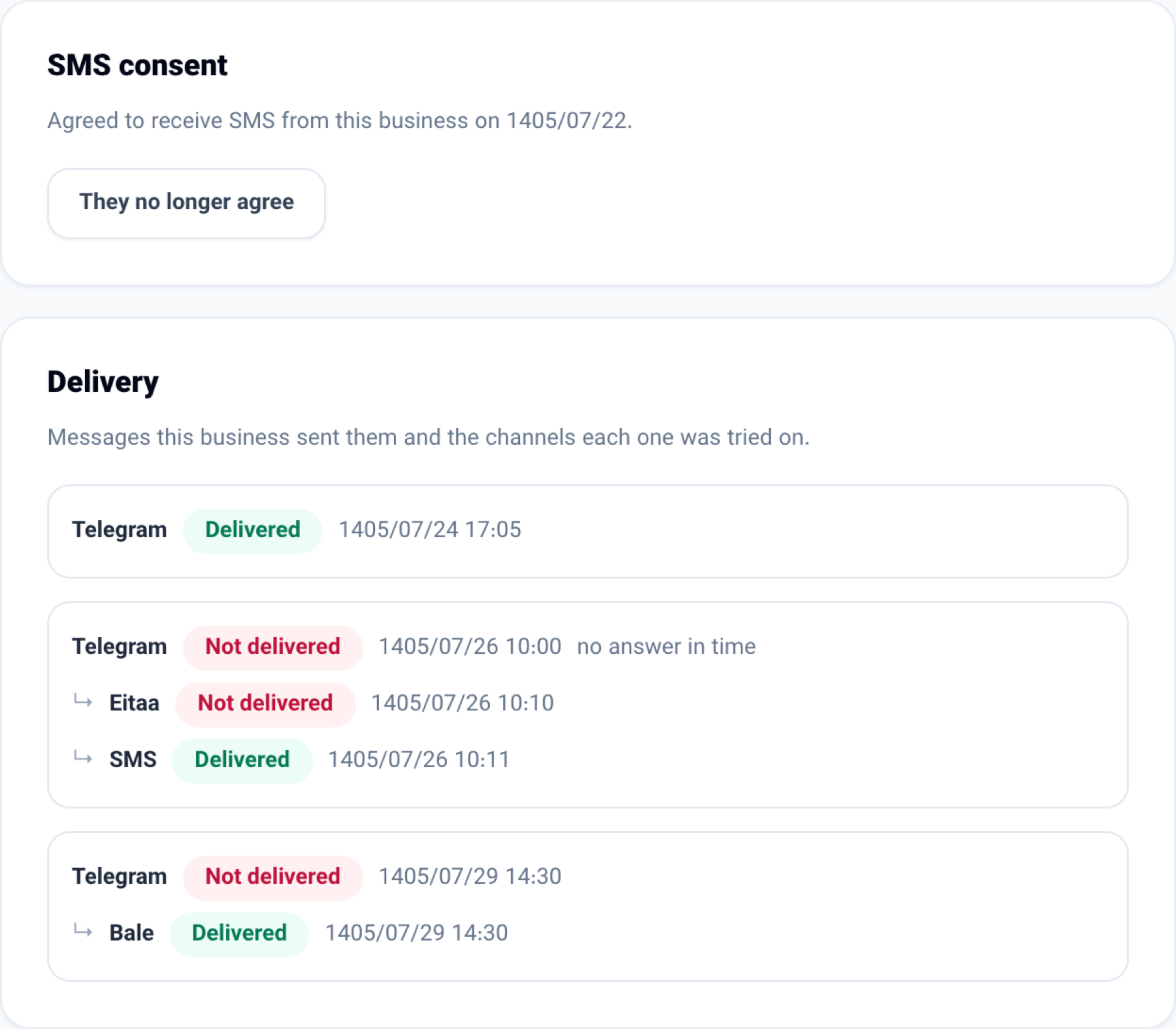
When Telegram is cut off or a customer blocked your bot, the message is not lost. Turn on "Try chat apps before SMS" and an SMS campaign text, a journey's SMS step or an appointment reminder goes first to the customer's chat with your Telegram, Bale, Eitaa or Rubika bot; if it does not get through, or no answer comes within the minutes you set, the next channel is tried, with SMS last.
- On the customer file, the new "Delivery" tab shows the way each message went — "Telegram not delivered, Bale delivered".
- SMS consent is recorded: forms and the booking page carry an "I agree to receive text messages" tick, so does the cash register, and you can record it by hand on the customer file's "Delivery" tab.
- With "Text only customers who agreed to SMS" on, nobody without consent is texted — but a customer who chats with your bots still gets the message there.
- Bring in your SMS panel's blacklist (people who replied 11 or used *800#) so they are never texted again.
- In the phone app you can message the customer from their file. With no connection, the message waits on the phone and goes when the connection is back.
How to use it
-
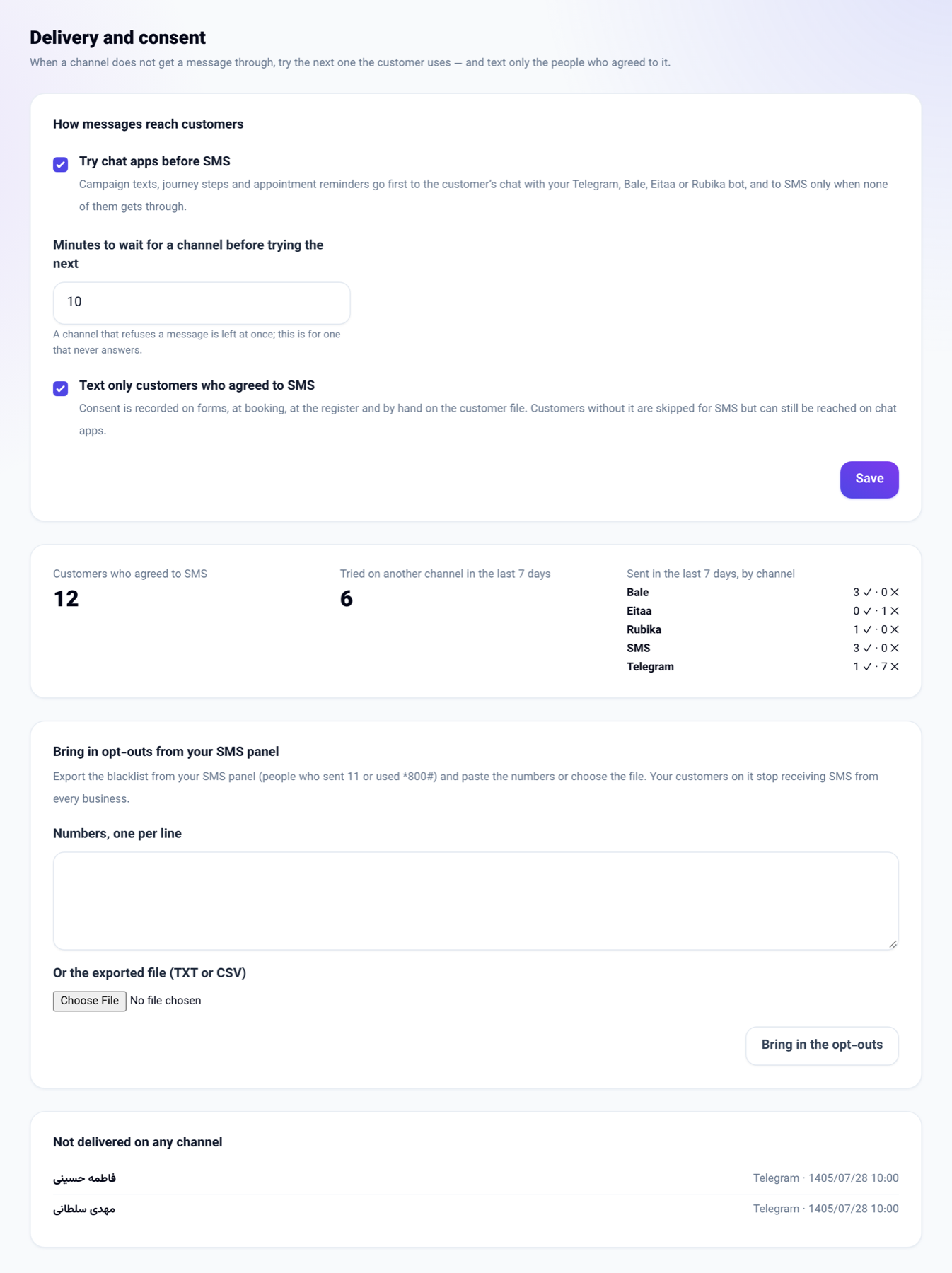
In the "Marketing and website" menu open "Email marketing (NabuMail)" and choose the "Delivery and consent" tab.
-
Tick "Try chat apps before SMS" and set how many minutes to wait for a channel. Press "Save".
-
To text only customers who agreed, also tick "Text only customers who agreed to SMS".
-
To bring in the blacklist, export the numbers from your SMS panel, paste them under "Numbers, one per line" or choose the TXT or CSV file, and press "Bring in the opt-outs".
-
To see where one customer's messages went, open their file and choose the "Delivery" tab.
Good to know
- Businesses you already had keep sending exactly as before until you turn these on. A new business in Iran starts with "Text only customers who agreed to SMS" on.
- A chat is used only when the customer started it with your business's own bot; their chat with another business is never used.
- Opting out of SMS always wins over consent.
- Changing the settings needs the seat that manages the business; bringing in opt-outs needs the seat that sends campaigns.
- Today's SMS panels offer no way to read the blacklist automatically, so it is brought in from the panel's export.