A shorter menu fitted to each person's role, plus a Desktop of side-by-side windows
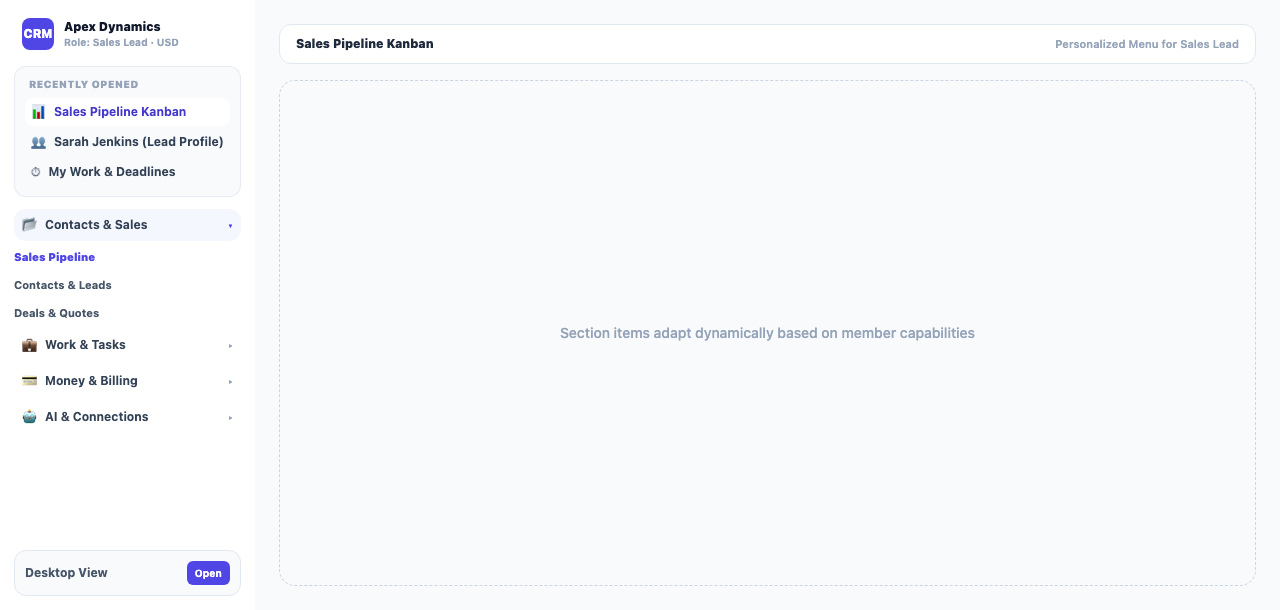
The menu now has eight folding sections and shows each person only the screens their role allows. Your most-used screens rise to the top, \"Recently opened\" keeps your last pages, and the Desktop opens several screens side by side in windows.
Product update 2 min read
What changed
A menu by role
Each person's menu offers only the screens their role in the current business allows. A sales agent no longer sees the books, and an accountant no longer sees campaigns. A guest gets only their own tasks and projects. Every screen still checks its own permissions.
A tidier menu
- Eight folding sections: Home, Money and accounting, Customers and sales, Work, Marketing and website, Operations, AI and connections, and Settings.
- Each section has a few main entries; the other screens became tabs at the top of their page.
- "Recently opened" at the top shows your last four screens. The first entries of each section show, the rest sit under "More" and "More sections".
- Entries reorder by how often you use them, and "Reset menu order" puts them back.
- The money section opens with "Accounting", and Books and Accounting get a dark side menu of their own.
Desktop
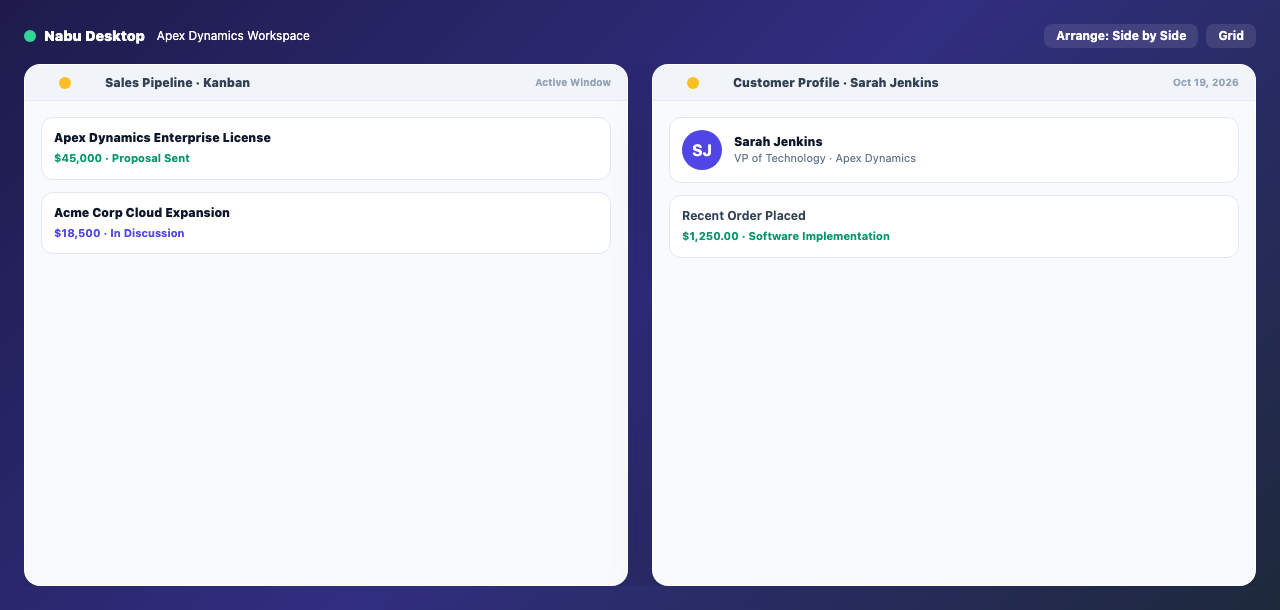
The new "Desktop" page shows each menu section as a folder and your most-used screens as icons. Each screen opens in a window you can move, resize, minimize or snap to an edge. "Arrange windows" lays them out "Side by side", as a "Grid" or in a "Cascade".
Ask in a sentence
In the ⌘K search you can type a sentence instead of a page name, such as "Where are this week's appointments?". After a short pause an "AI suggestion" row offers the right screen, and Enter opens it.
How to use it
- Open the menu at the side; tap a section name to open or fold it.
- Press "More" to see every entry in a section.
- Open the Desktop from "Home" → "Businesses dashboard", or find it with ⌘K.
- The owner sets each person's role in Team management, and the menu follows.
Good to know
- There is no separate menu editor; the menu follows the role. The owner can also create custom roles in "Team management".
- Each person's Desktop layout is saved in their browser.
- The AI suggestion only suggests a screen; it never acts on anything.