Loyalty — points on purchases, levels, a birthday gift, referral codes and coupons
The new NabuLoyalty add-on gives points for every purchase at the cash register, in the online shop and on the order board. Customers spend points and coupon codes at checkout, get a gift on their birthday, bring friends with a referral code and see their points under "My points" in the customer portal.
Product update 2 min read
What changed
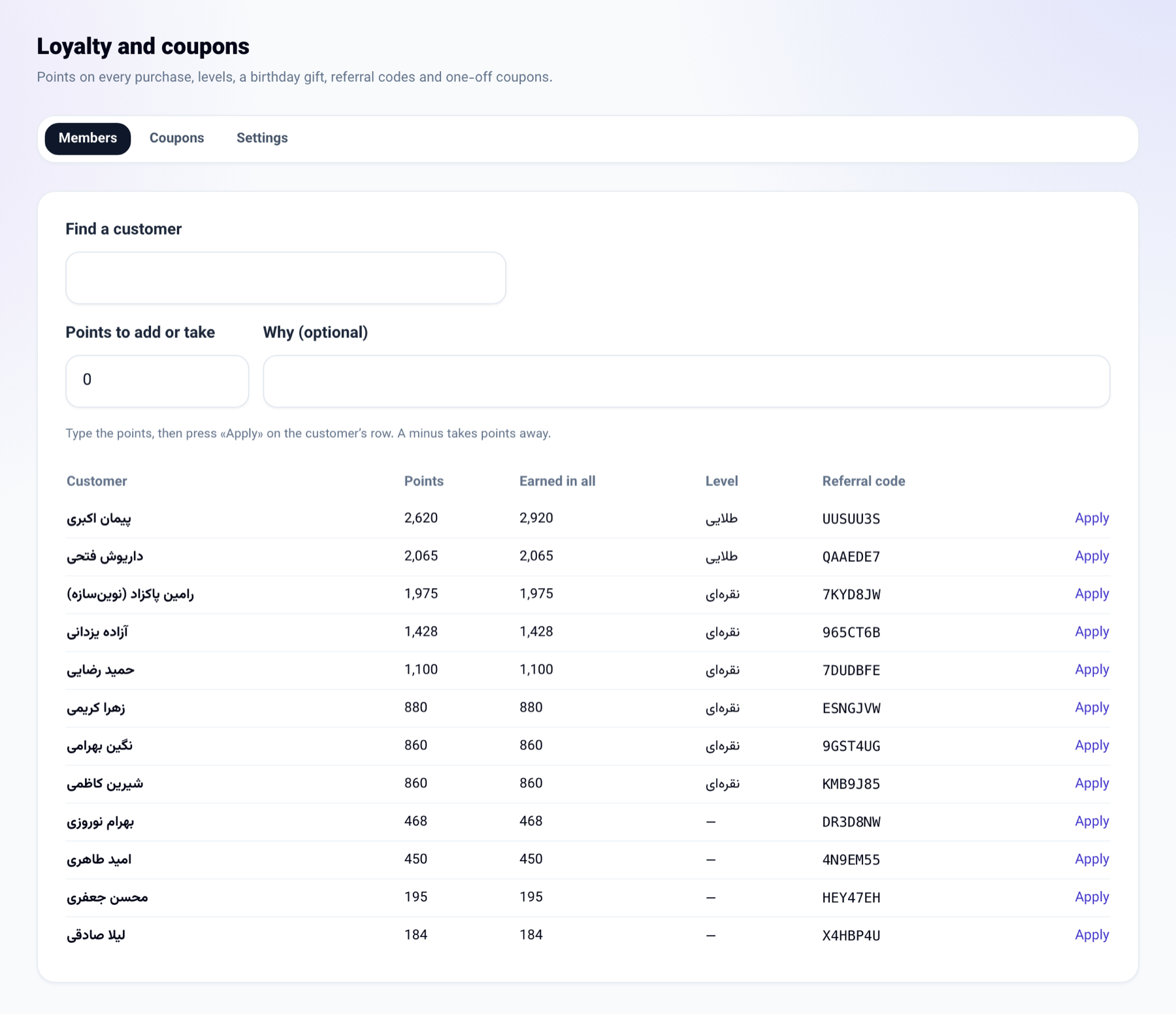
- Points on every purchase: a paid invoice with a customer on it (a sale at the register, an online shop order, an invoice raised by hand) and an order the board marks done earn points, on what was actually paid.
- Levels: say "Silver" from 500 points and "Gold" from 2,000, each earning more per purchase.
- Spending points: at the cash register the cashier finds the customer by phone number and takes their points off the total. The discount sits on the invoice itself, so the books see the lower sale.
- Coupon codes: one-off codes, a percentage or an amount off, with an end date. Write {coupon} in an SMS campaign or a journey step and each customer gets a code of their own. Codes are taken at the register and in the online shop.
- Referral codes: every member has their own. A new customer whose first purchase carries it gets welcome points, and so does whoever referred them.
- Birthday gift: on the customer's birthday morning the gift points arrive, with a message if you want.
- My points: in the customer portal a customer sees their points, what they are worth, their level and their referral code at every business.
How to use it
- In the "Marketing and website" menu open "Email marketing (NabuMail)" and choose the "Loyalty and coupons (NabuLoyalty)" tab.
- Under "Settings", say how much spend earns one point and what one point is worth at checkout. Add levels, the birthday gift and the referral points.
- Tick "Run the loyalty programme" and press "Save".
- To make coupons, go to "Coupons", enter how many, the discount, how much and for how many days, and press "Make the codes".
- At the "Cash register", type the customer's phone and press "Find"; the points to spend and the coupon box appear.
Good to know
- Until "Run the loyalty programme" is on, nothing is earned and no code is taken.
- Each coupon is used once, and one business's code is never taken by another.
- Points belong to one business; points at one are never spent at another.
- Spending points and checking codes need the internet; a sale kept offline is filed without them.
- Settings and coupons need the seat that manages the business; setting points by hand needs the seat that edits customers.