Sell on installments, with a down payment, a Sayad cheque per installment and reminders before each date
Any unpaid invoice can now be sold on installments. Give the down payment, how many and how often, and the due dates are made. Take a Sayad cheque for an installment, record it paid or move its date. Installments show on the cash radar too.
Product update 2 min read
What changed
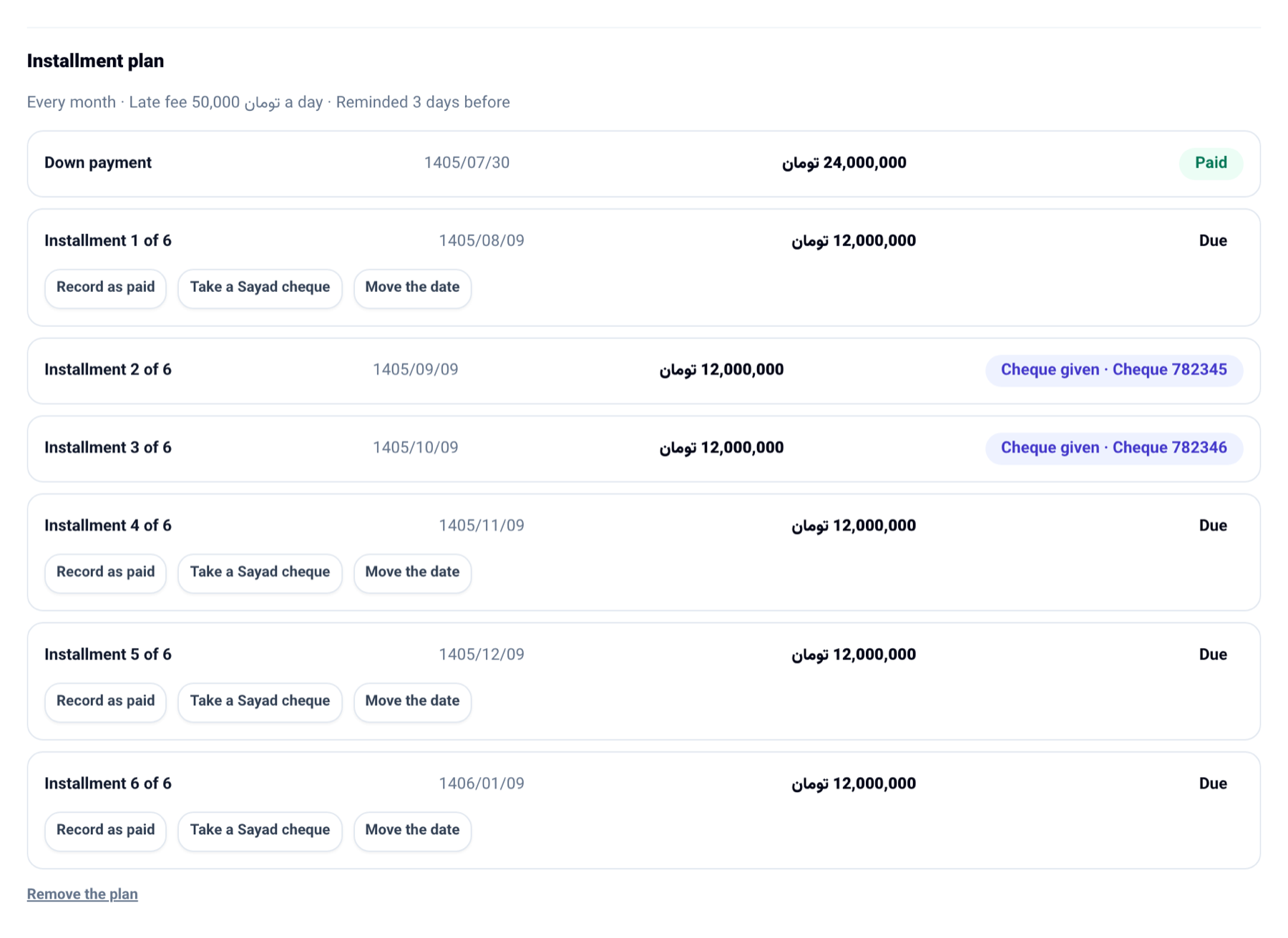
Every unpaid invoice has a new Installment plan section. Give a down payment, the number of installments, how often they fall due (every week, every two weeks or every month) and the first due date, and what the invoice still owes is split into equal installments, each with its own due date. For a business on the Solar Hijri calendar, a monthly installment falls on the same day of the Jalali month.
Each installment can:
- Take a Sayad cheque: type the cheque number, the Sayad id and the bank, and the cheque is recorded in the books as a received cheque paying this invoice, due on the installment's date. When it clears the installment is paid; if it bounces, the installment is owed again.
- Be recorded as paid: give the date and the account the money went into. The payment is recorded on the invoice, and the last installment settles it.
- Move its date.
If the plan has a late fee per day, an installment paid after its date raises an invoice of its own for the fee, the same way a rental returned late is charged.
How to use it
- Open an unpaid invoice from Invoices.
- In Installment plan, give the down payment, the number of installments, how often, the first due date, the late fee per day and how many days before each date to remind the customer.
- Press Make the installment plan.
- Beside each installment press Record as paid, Take a Sayad cheque or Move the date.
Good to know
- With reminder days above zero, the customer gets an SMS and email with the payment link that many days before each due date. Zero means no reminder.
- On the Cash radar, each installment counts on its own date, and one with a cheque counts as that cheque.
- A plan with a payment or a cheque on it cannot be removed.
- Only seats that manage billing can make or change a plan. You can also ask the console "which installments fall due this week?"