Automatic announcement of new features and updates on login
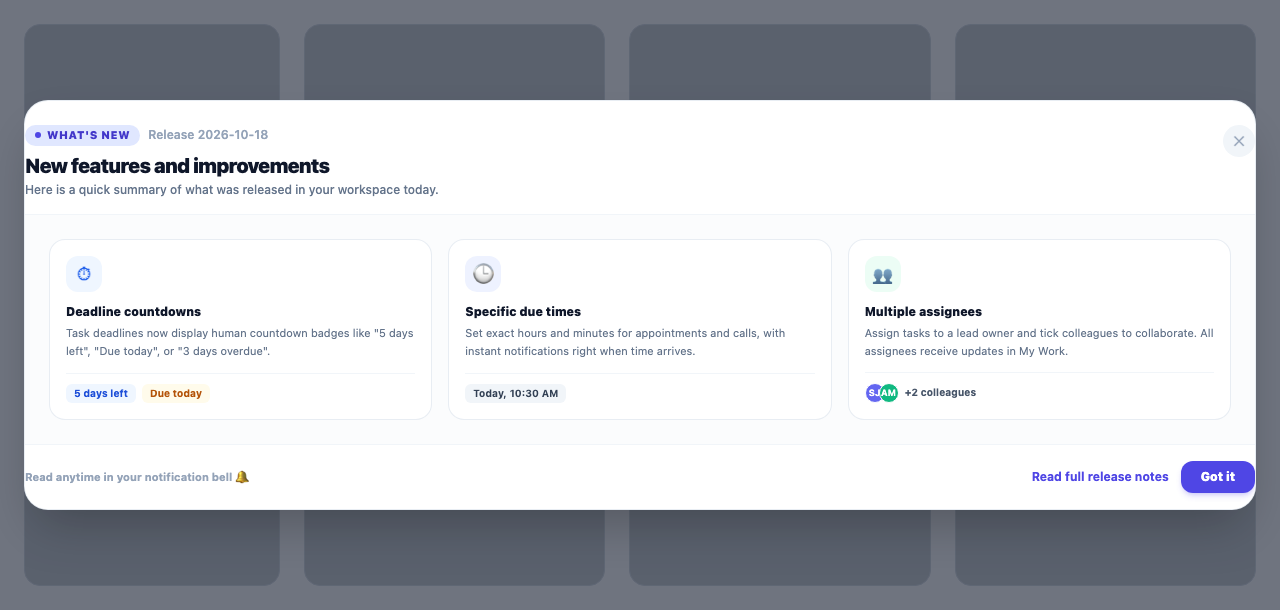
Whenever new features and improvements are released, a transparent "What's new" window introduces the changes on your next login with full details and screenshots.
Product update 1 min read
What changed
To keep everyone up-to-date with newly added capabilities, apps, and improvements, an automated "What's new" announcement window is now live. Whenever an update is deployed, logging into your account presents a clean window summarizing the latest features with screenshots and usage tips. A notification is also kept in your notification bell for easy reference anytime.
How to use it
- No configuration is needed; this is automatically enabled for all users.
- Upon logging in after an update, the new features modal appears.
- You can review past updates at any time by clicking the notification bell in the top navigation bar.
Good to know
- The announcement is shown only once per user per deployment, keeping your daily workflow distraction-free.
- Updates are presented in your preferred interface language (Persian, English, Arabic).