Lead viewers, editable straight from the contacts list — and forms without a default recipient
Who may see a lead can now be changed from its row on the contacts list — the customer file's own editor, one click nearer. Team-management seats may make the change too, and the form builder no longer pins a default recipient.
Product update 2 min read
What changed
Deciding who may see a lead used to be possible only from the customer file: open it, save the change, come back. Forms had the sharper problem: in a small team the automatic split kept landing on one particular desk, and that default recipient could not be taken off from the form's settings.
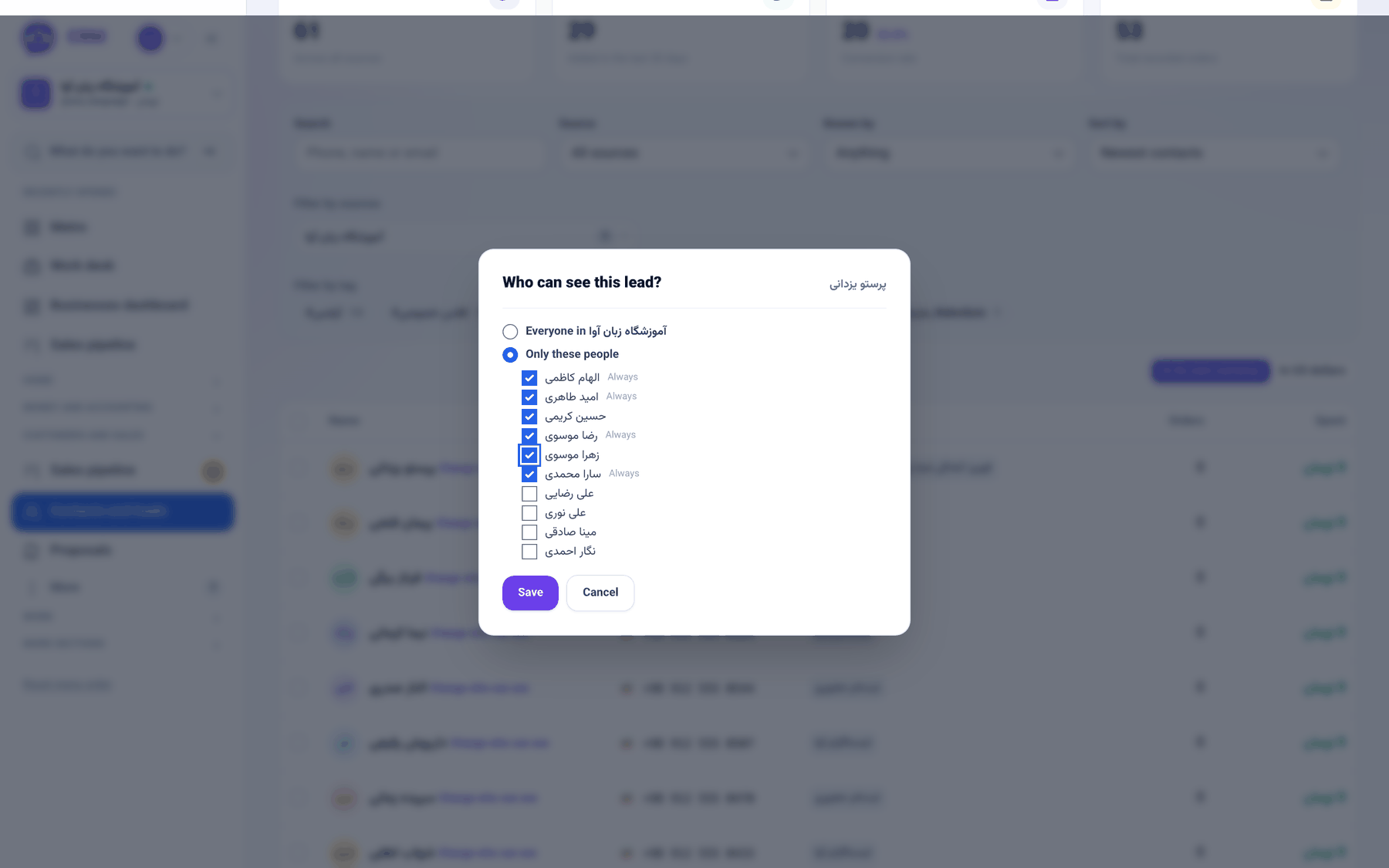
Under each person's name on the contacts list there is now a Change who can see link — the same editor the customer file has, under the same rules, without the round trip. And in the form builder, Who receives the leads from this form has three plain answers, none of which quietly falls back to somebody else.
How to use it
- In the sidebar, under Customers and sales, open Contacts and leads.
- Under the person's name, click Change who can see.
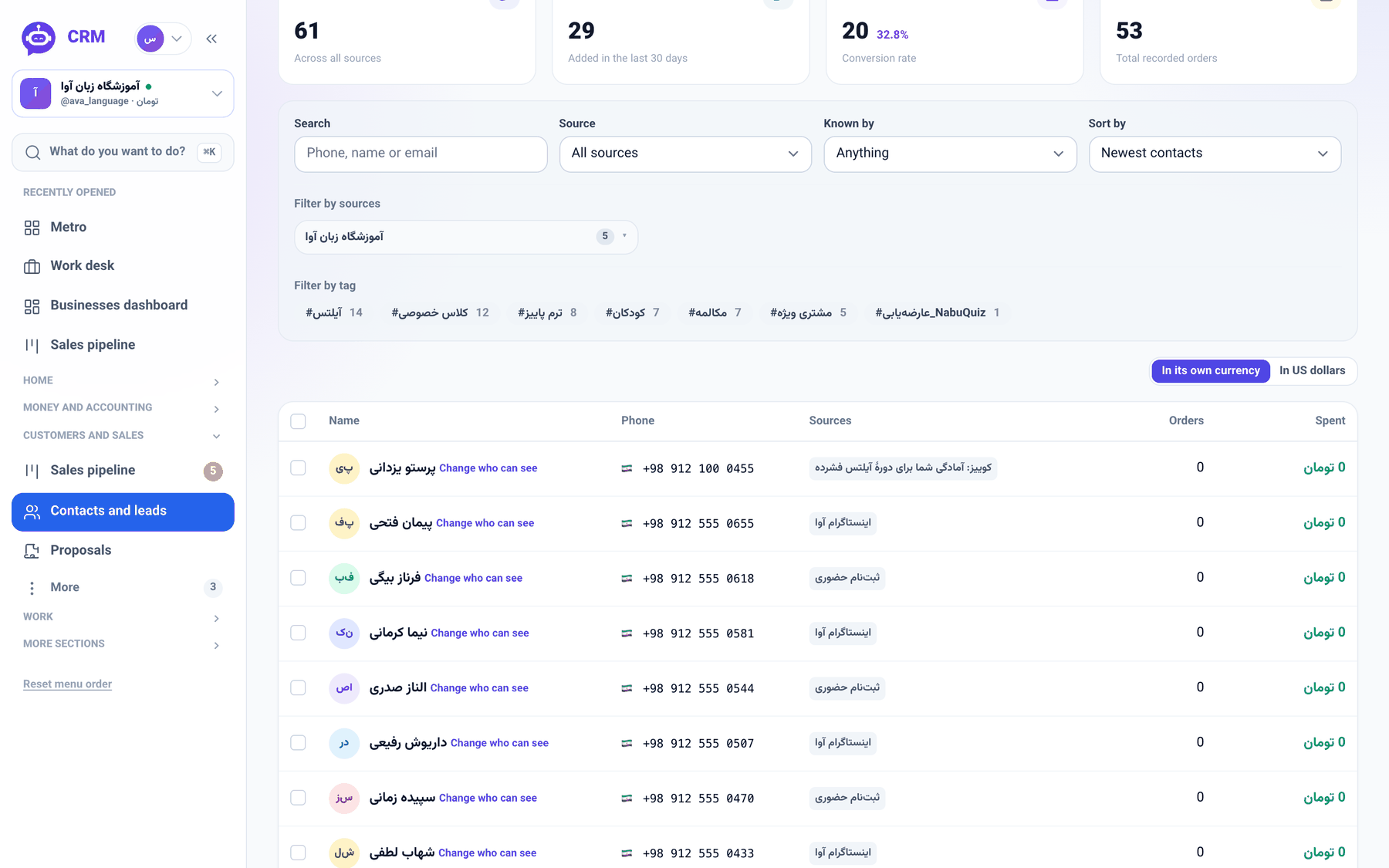
- Choose Everyone in your business, or Only these people and tick who should see the lead. People marked Always always see it and cannot be removed. Press Save.
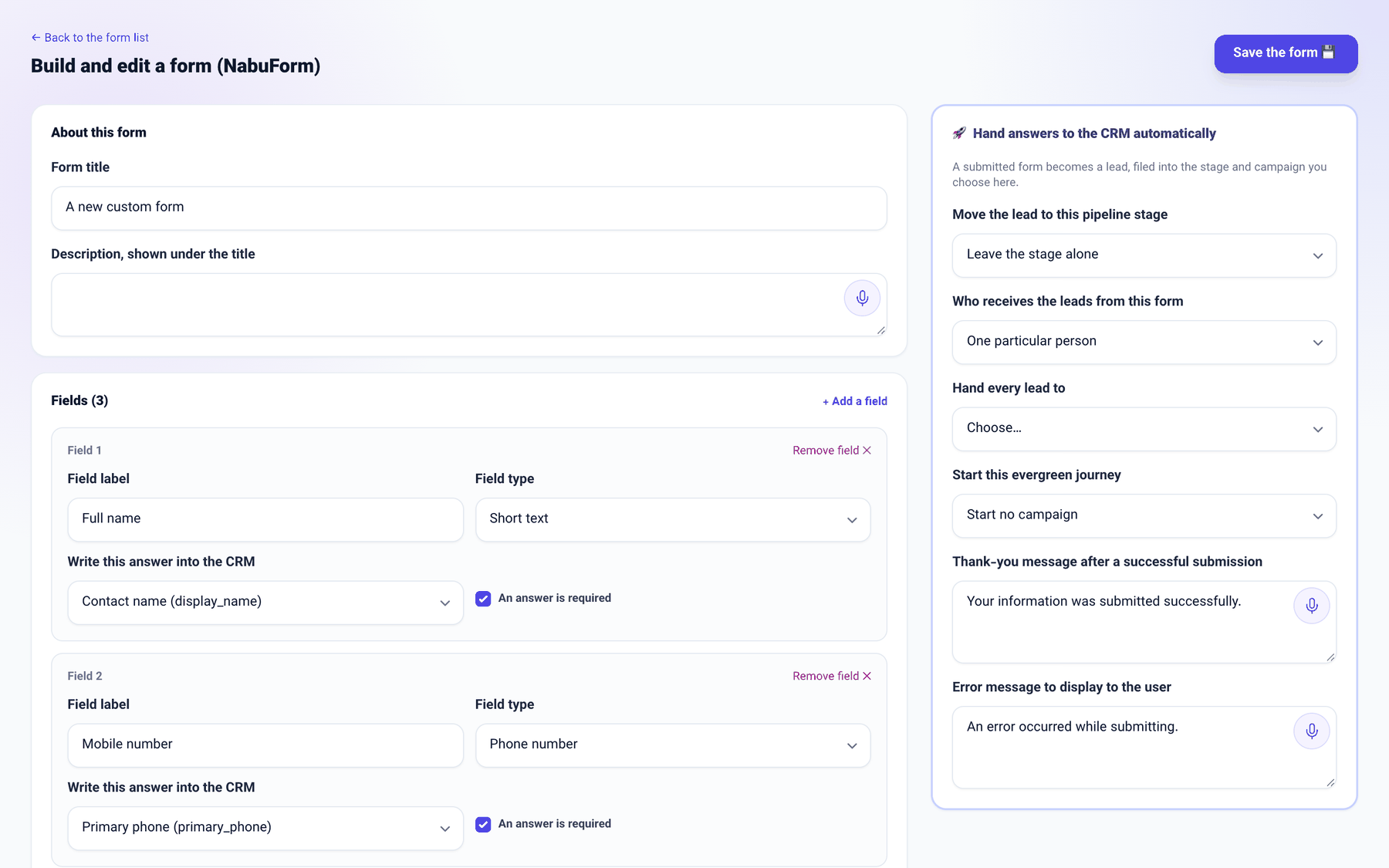
- For forms, open More sections → Marketing and website → Form builder (NabuForm) and open the form.
- In Hand answers to the CRM automatically, set Who receives the leads from this form to Share among the team — whoever is least busy (the default), One particular person or Nobody yet — leave each lead unassigned. For one person, pick them in Hand every lead to, then press Save the form.
Good to know
- The business's admin, the sales and support floor seats and now every seat that manages the team may change a lead's viewers; whoever filed the lead or holds it may do the same within that scope.
- A change that would strand open work is refused: anyone with an open follow-up or task on the lead stays on its viewer list.
- One particular person without a name does not save. If that person later leaves the team, the form returns to sharing among the team, so leads never drop onto an empty desk.