The console answers more accurately, and voice calls work again
The console answers only your last message and never claims it did something that is still waiting for your approval. Voice calls to NabuOS connect again, and voice notes and dictation now take about two seconds and spell names right.
Product update 2 min read
What changed
Console answers
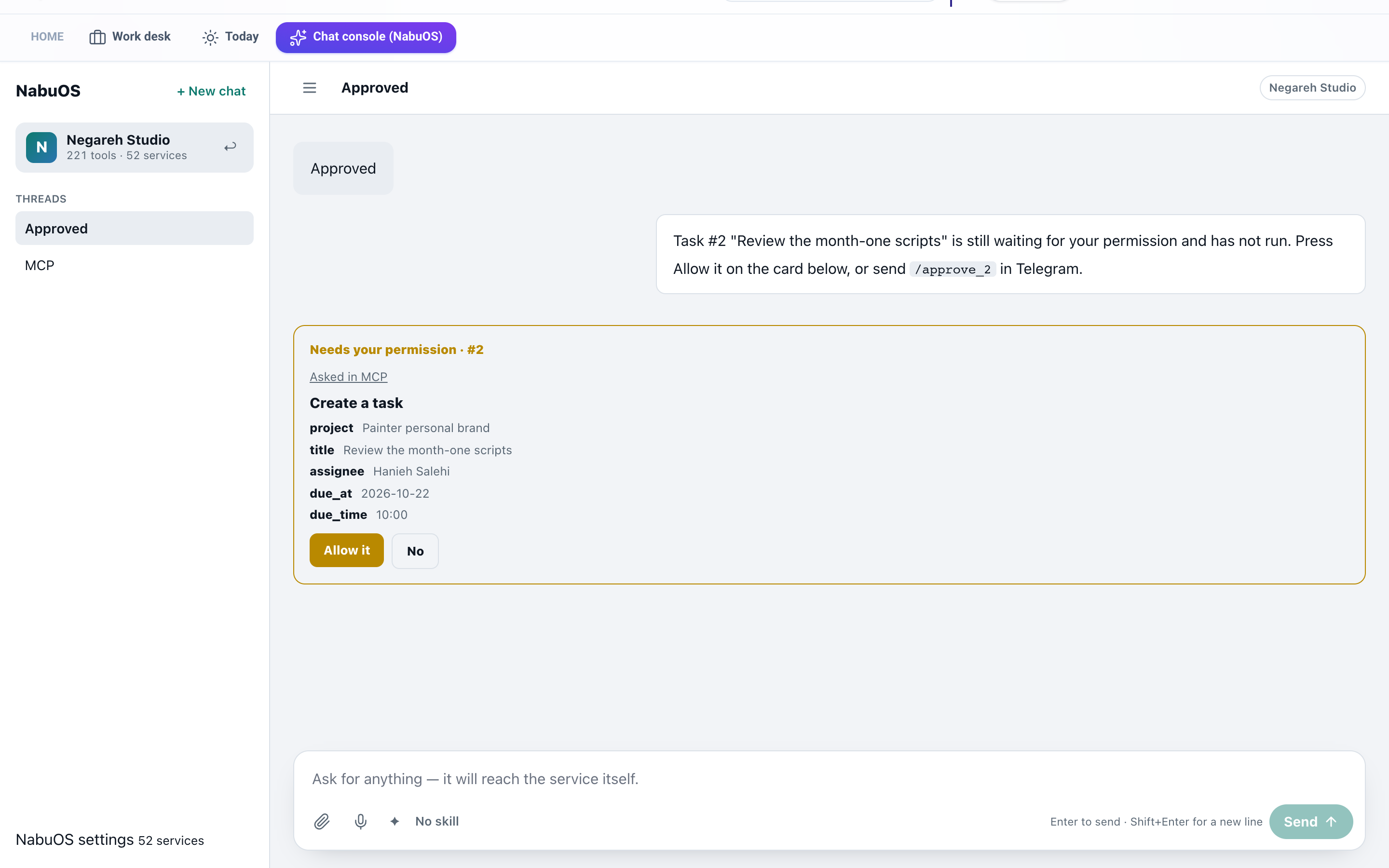
- The console answers only your last message. "Hello" or "Approved" were sometimes answered with a per-person count of open tasks that nobody asked for.
- When something waits for your approval, the console knows its number. Write "approved" and it tells you which request is waiting and where to approve it. It never says "approved" or "done", because approving is yours.
- In Telegram, "approve_29" without the slash is an approval too.
- Commands like
/approve_29read correctly, left to right, inside Persian answers.
Voice
- Talking to NabuOS (the microphone in the chat console) works again. The voice service refused the call and you saw "The voice service did not answer". Now the call connects, both sides are captioned, your spoken "yes" is heard for approvals, and actions run.
- Businesses' website voice agents carry out their actions again (saving a lead, booking a time); before, they went quiet after asking.
- Voice notes to the Telegram bot, dictation into fields and the voice button are heard by the fast engine again. On one Persian sentence it took about 1.5 seconds with every name right; before, it took over a minute and misspelled names.
- A voice call hears you through the same more accurate engine.
How to use it
- Open Chat console (NabuOS) from the top bar.
- To talk, press the microphone beside Send and say what you need.
- If an action needs approval, say "yes" or press Allow it on the card.
- In Telegram you can send a voice note; the words heard and the answer come back.
Good to know
- A voice call uses the business's voice minutes, as before.
- The console still answers with the same model; these changes are about reading your message right and hearing you right.