Rep commission, monthly scorecards and a leaderboard for the office TV
Set commission rules per rep, per team or for everyone. Each month's commission is worked out from paid invoices, lands on the payslip once a manager approves it, and a leaderboard for the sales office refreshes every minute.
Product update 2 min read
What changed
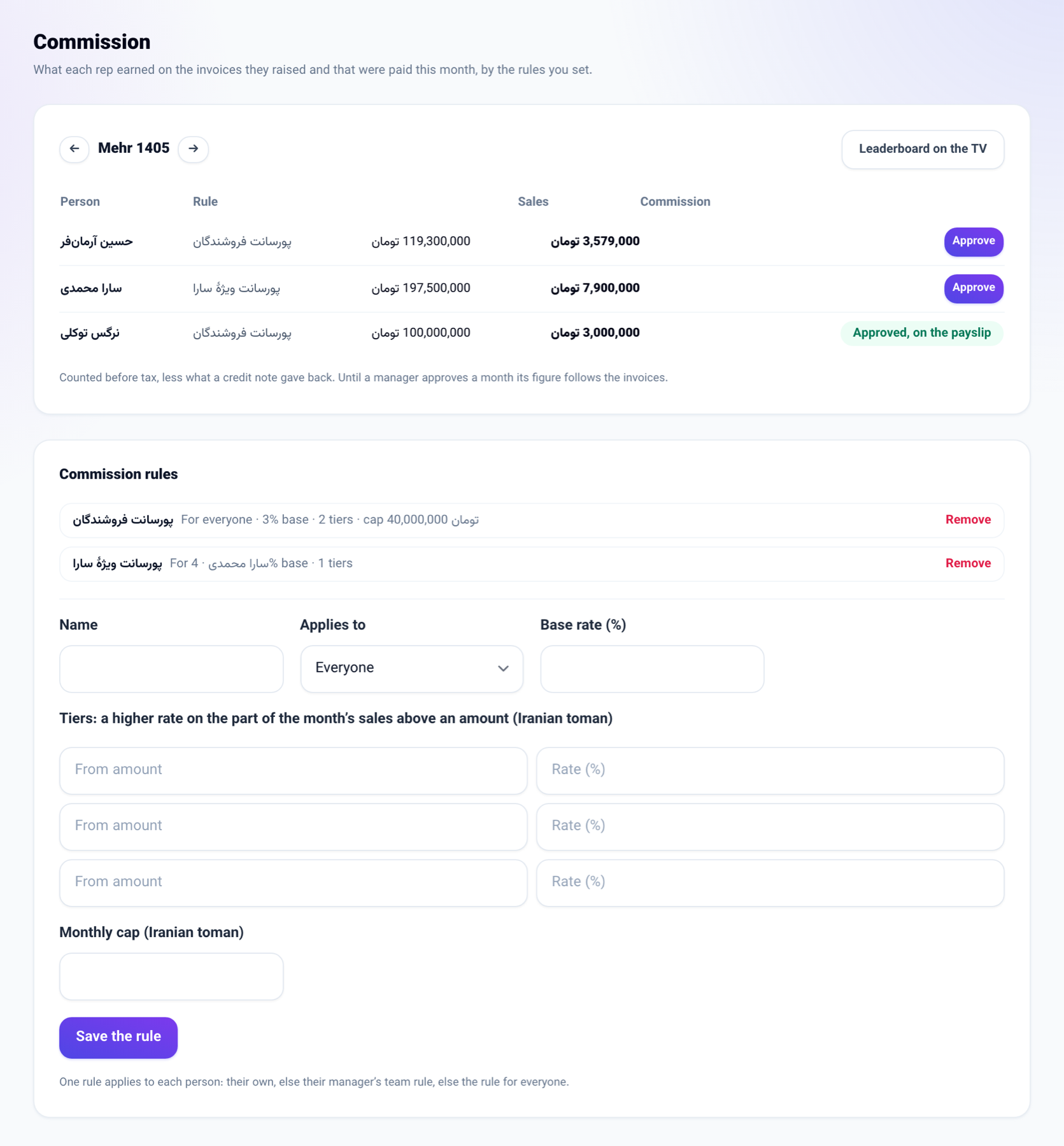
- A new Commission screen sits next to Goals under Team management. A rule has a base rate and up to three tiers; a tier's rate applies only to the part of the month's sales above its amount. A rule can also carry a monthly cap and its own rate for a product category.
- A rule is for one person, for everyone who reports to a manager, or for everyone. Each person gets the most specific one: their own, then their manager's team rule, then the rule for everyone.
- The base is the paid invoices the rep raised, by the day they were paid, before tax and less any credit note.
- Until a manager approves the month, the figure follows the invoices. Once approved it is fixed and, with HR on, goes onto that month's payslip as its own line. If that payslip is already paid, it goes onto next month's.
- Goals have three new measures: calls logged, meetings and money collected. Money goals are now typed and shown in the business's currency.
- Each colleague's page under Sales team now shows this month's scorecard: revenue, money collected, calls, meetings and the commission earned so far.
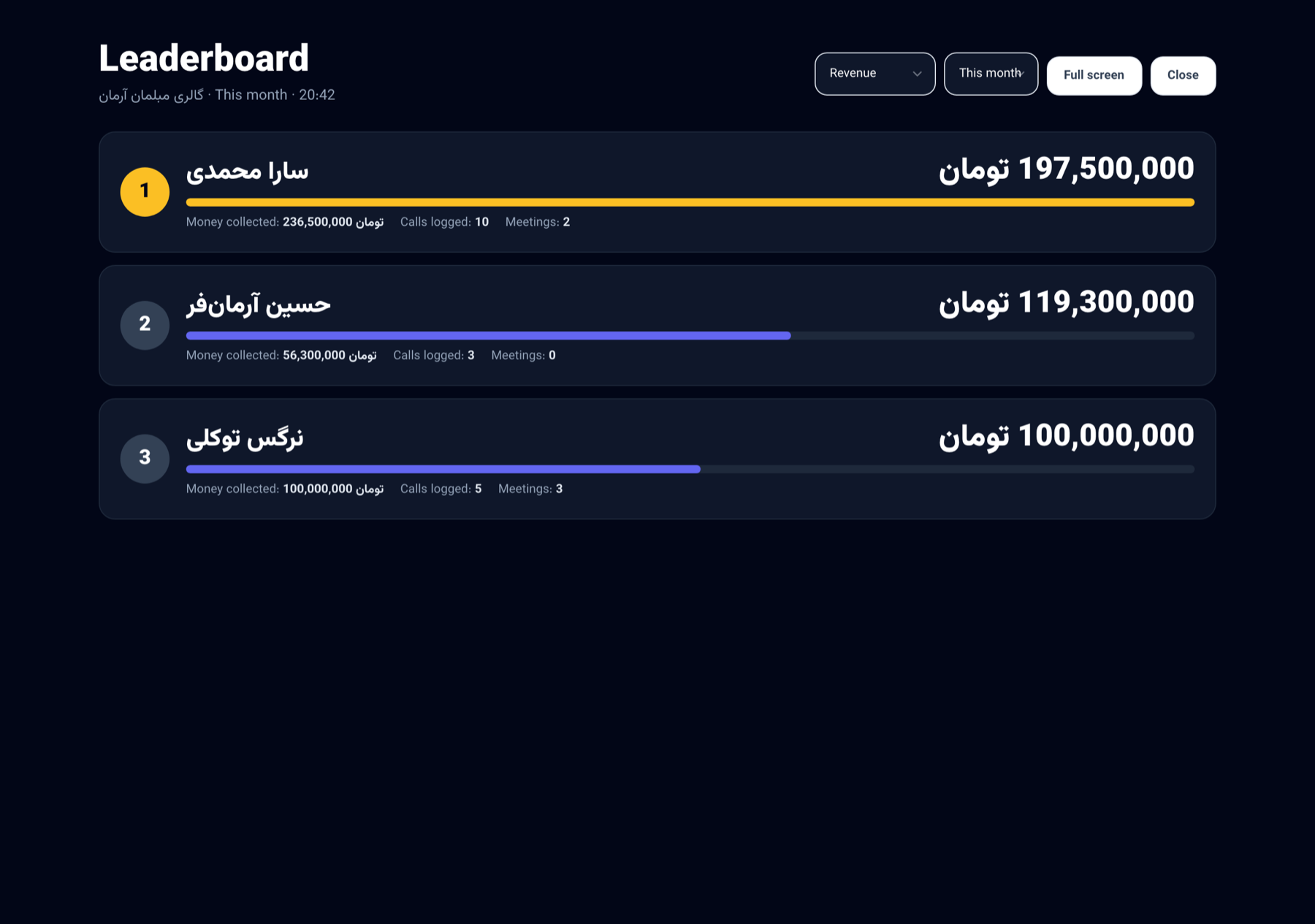
- The Leaderboard under Reports fills the screen and refreshes every minute, for the sales office TV.
How to use it
-
Go to Business settings → Team management → Commission.
-
Under Commission rules, give a name, choose Applies to and type the Base rate (%). Add tiers, a monthly cap and category rates if you need them, then press Save the rule.
-
In the table at the top, pick the month and press Approve next to each person.
-
For the TV, press Leaderboard on the TV, choose the measure and period, and press Full screen.
Good to know
- Rules and approvals are for a seat that manages the team. A rep sees only their own row.
- Nobody approves their own commission except the owner of the business.
- The leaderboard is open to any seat that reads the reports. It never shows commission.
- You can also ask the chat console: "this month's commission" or "rank the sales team".