A full change log, customer-list protection, and handing over a leaver's work
The Change log now records creates, edits, deletions, exports and bulk changes, and brings a deleted task back. Unusual exports are reported to the owner, each seat can be held to an export limit, and sales agents can be shown masked numbers. A leaver's work moves to one colleague in one action.
Product update 2 min read
What changed
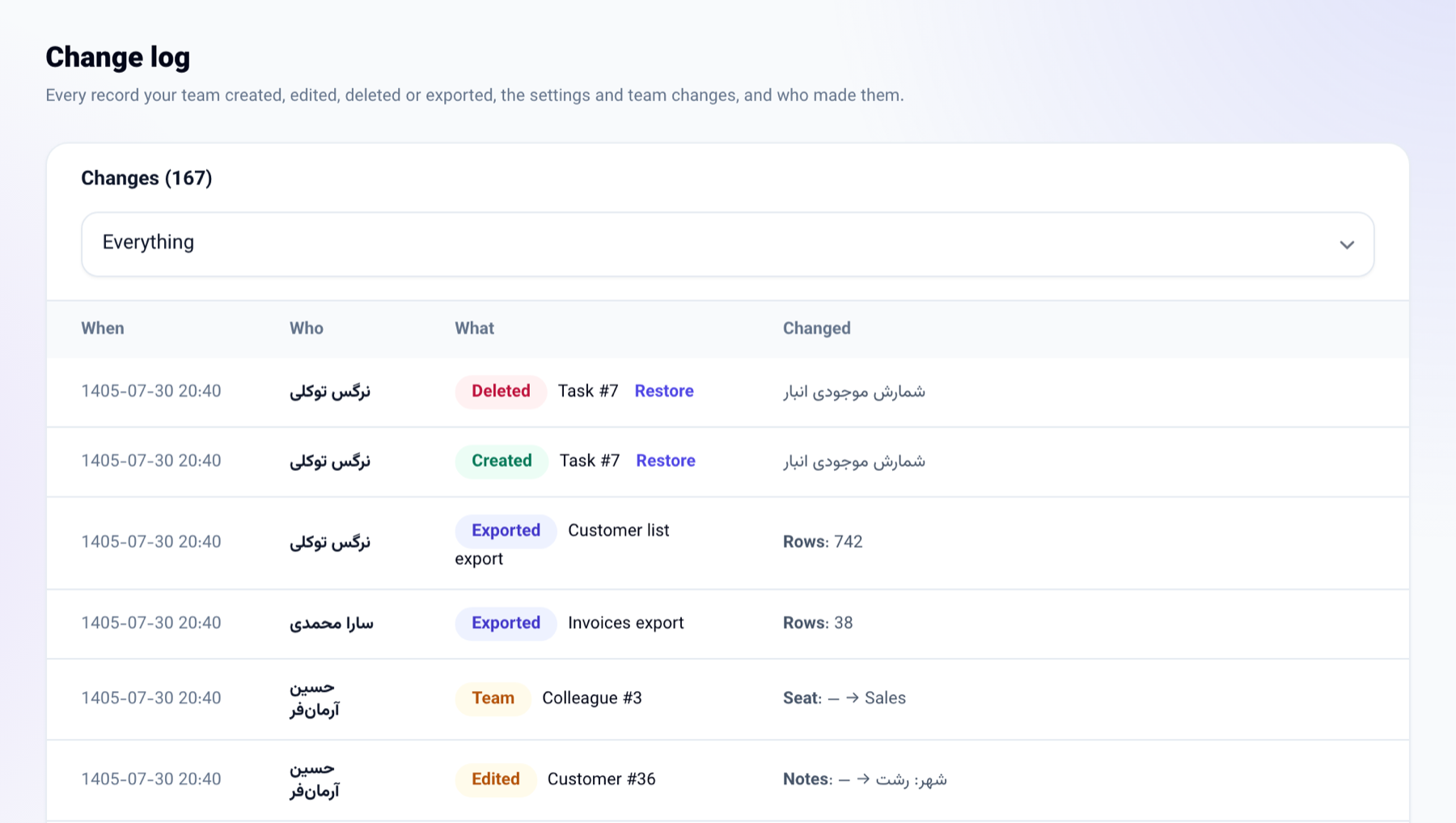
- The Change log under Business settings now also records: new invoices, payments, cheques, tasks, stages and pipelines; edits and deletions of customers, under the business that made them; every export with how many rows it held; bulk changes on the contact list; business settings saved; and colleagues added, moved to another seat or removed.
- A deleted task that is still in its board's bin has a Restore button beside its row.
- When somebody takes a file with many rows, or many files in one day, the owner is told in My messages and in the Telegram admin chat. By default: more than 500 rows, or more than 5 files a day.
- In the new Protect the customer list section you can set the most rows one export may hold, seat by seat, and hide customers' numbers from sales agents. Both are off by default.
- Each colleague's page under Sales team has a Hand over work section: their leads, open tasks, follow-ups, tickets and inbox conversations go to the colleague you choose in one action.
How to use it
-
To read the changes, go to Business settings → Change log and pick a kind of change above the table.
-
To protect the list, fill in Protect the customer list at the bottom of the same page and press Save.
-
To hand work over, go to Business settings → Sales team, open the colleague, choose who takes over under Hand over work and press Hand over the work.

Good to know
- The change log is for a seat that manages the team; the protection settings are for a seat that manages the business.
- The owner of the business is never held to an export limit.
- Masking applies to the Sales agent seat only, on the contact list, the pipeline, the customer file, follow-ups, companies, search and the inbox. Messages and calls the system places still reach the customer.
- A deleted customer cannot be restored, because a customer file has no bin, but the deletion stays in the change log with their name.
- Somebody with a great deal of work moves up to 300 items of each kind at a time; the message says how many are left. Press again.