A floor for the cash radar, and a payment-risk chip on customers
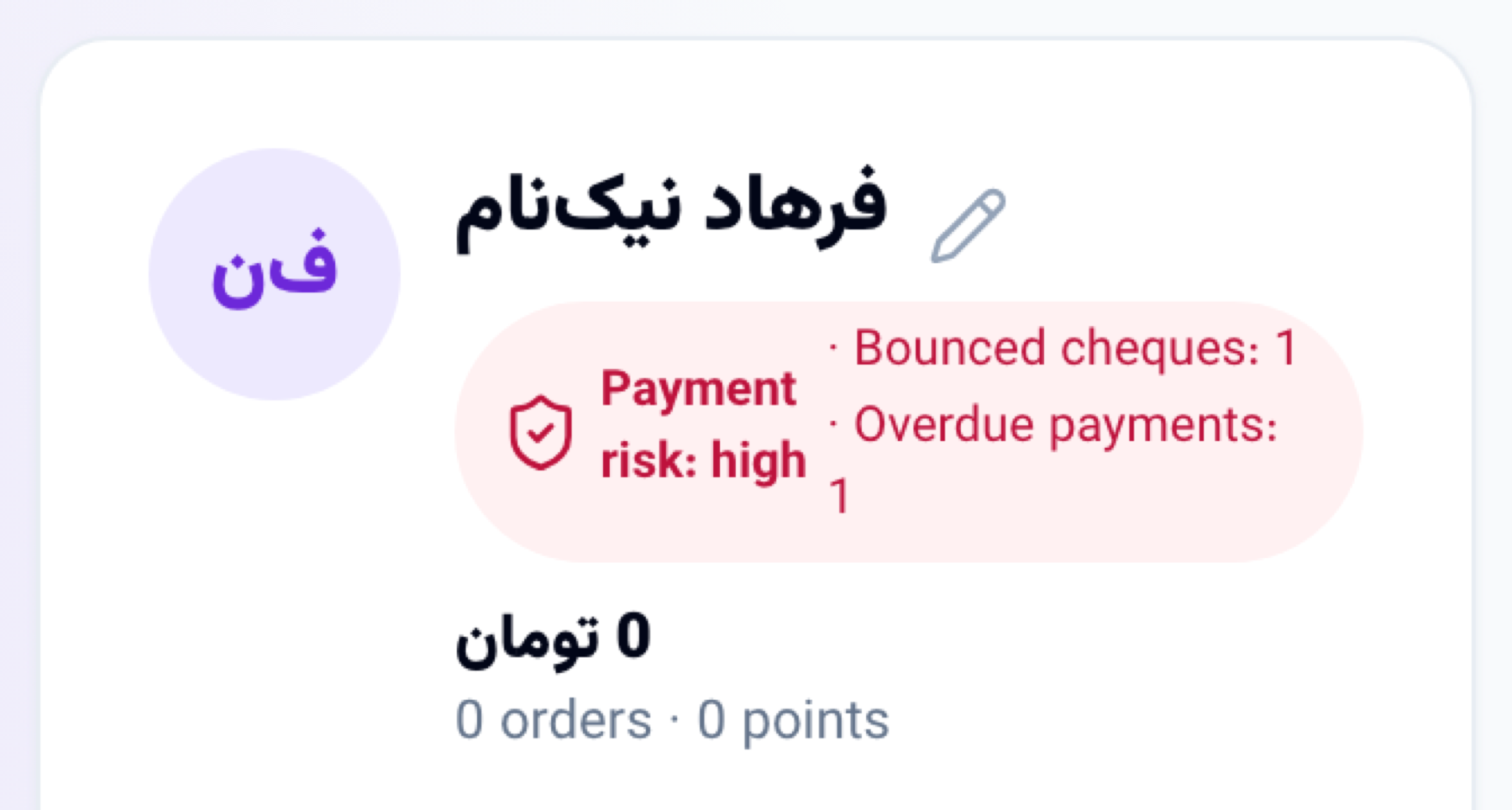
The cash radar now takes the least money you want to hold, and a week under it is short or tight. The customer file, new invoices and new estimates show a payment-risk chip: bounced cheques, late installments and overdue payments.
Product update 2 min read
What changed
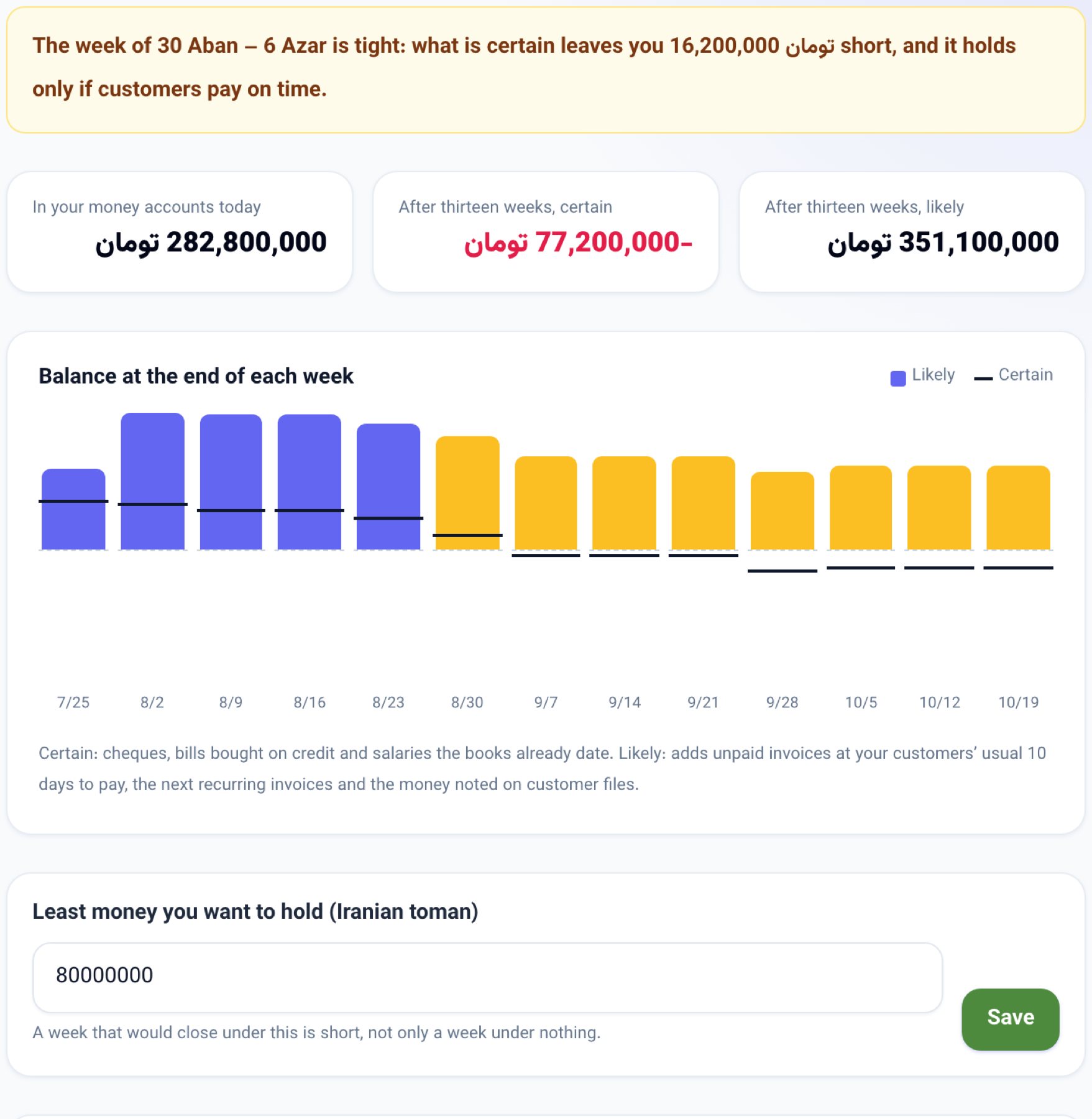
A floor: under the Cash radar tab of Books there is a new box for the least money you want to keep in your accounts. A week that would close under it is shown short or tight, not only a week under zero. The work desk warning and the morning Telegram message use the same floor.
Installments on the radar: each installment of an invoice sold on installments now counts on its own date.
Payment risk: beside the customer's name on their file, and when you pick a customer in Invoices or Estimates, a chip appears when their payment history with this business has a problem:
- Red when a cheque of theirs bounced, or three or more payments are late.
- Amber when an installment was paid late or is still late, or an invoice stayed open longer than your customers usually take to pay.
How to use it
-
Open Accounting, then Books, and the Cash radar tab.
-
Type the least money you want to hold and press Save.
-
Before selling to a customer on credit, look for the payment-risk chip on their file or when you raise the invoice.
Good to know
- The chip reads this business's own records only; a customer who had trouble with another business shows nothing here.
- It shows counts, never amounts. A customer with no problem shows no chip.
- Only seats that manage billing can change the floor.