Leads from a business card, Instagram, Divar and Bale
Photograph a business card or hand over an Instagram profile, a Divar ad or a Bale account; the name, number and handle are read and, once you have checked them, the lead is saved. The browser extension has a Save to NabuCRM button on Instagram and Divar, and the phone app takes a pasted link.
Product update 2 min read
What changed
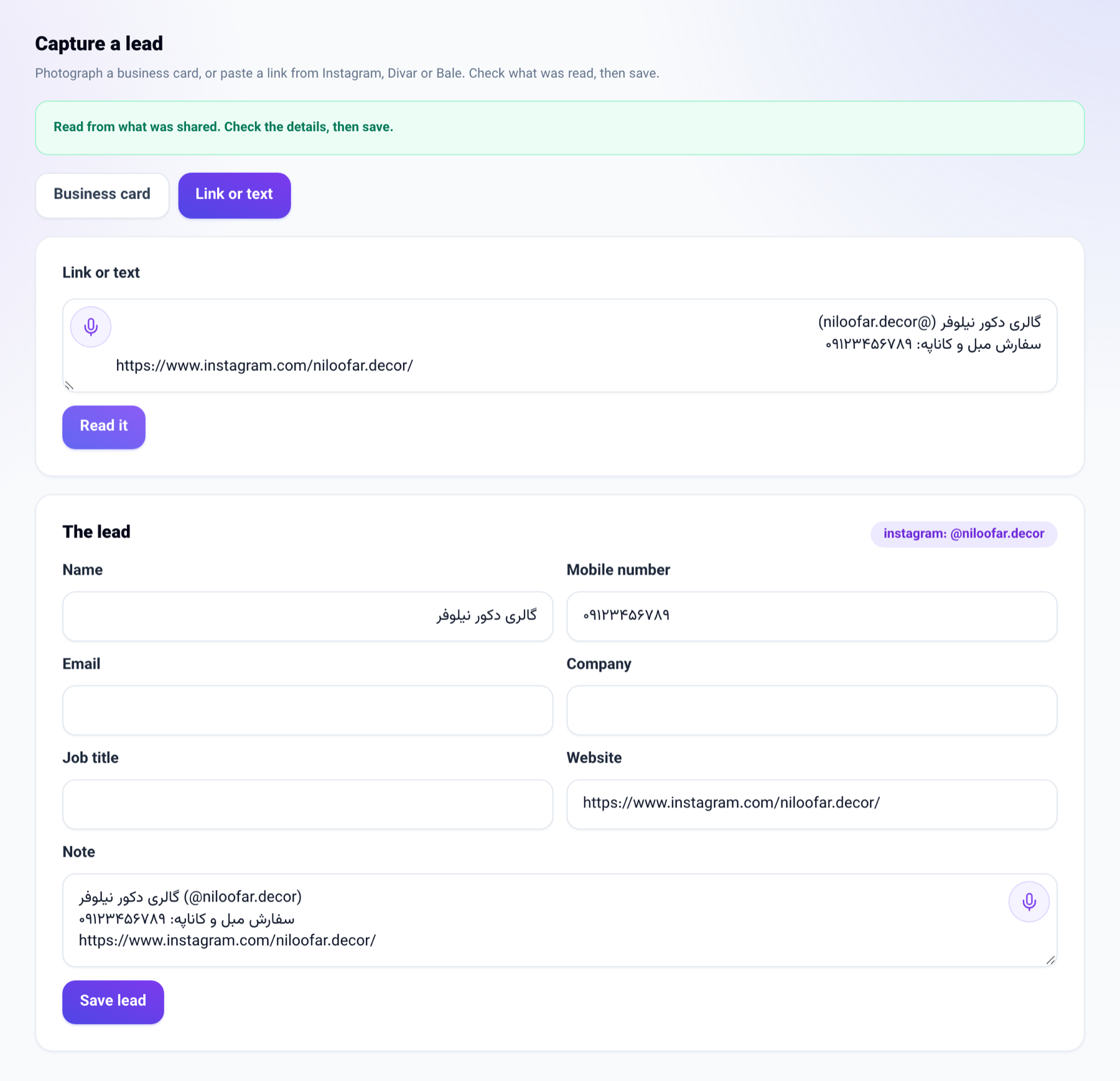
- Business card: a photo of the card is read; the numbers, email and website are exactly the ones on the card, and the name, company and job title are suggested for you to check before saving.
- Link or text: an Instagram link gives the handle and the name, a Divar ad its title, a Bale link the handle. Any number in the text is found, in Persian or Latin digits.
- Share from the phone: with the panel installed on your phone, NabuCRM appears in the share sheet of Instagram, Divar, Bale and the browser, and opens this screen with what you shared already read.
- Browser extension: an Instagram profile or a Divar ad gets a Save to NabuCRM button.
- Phone app: on the Customers tab, the link button opens "Add from a link or text".
Each lead is filed on its own list for the way it came in, such as Business cards or Shared from Divar, owned by whoever saved it, and somebody who is already your customer is not created again.
How to use it
- In Contacts, press Scan a card or paste a link.
- On the Business card tab, take a photo of the card and press Read the card; or on the Link or text tab, paste the link and press Read it.
- Check the details and correct anything that needs it.
- Press Save lead, then Open the file to go to the customer.
For the extension: get the new version from Google Meet extension in the panel, open an Instagram profile or a Divar ad, and press Save to NabuCRM. On Divar, press the contact button first so the number is on the page.
Good to know
- A lead needs at least a mobile number, an email or a handle.
- Reading a business card is charged to the business's AI credit; reading a link or text costs nothing.
- Only a seat that may add customers can save a lead.
- In the chat console you can also send a link or a message and say "save this as a lead".