Call hour: ring the customers worth a call, one at a time
The Call hour screen shows who to call next, why, and three lines about them. One tap to dial, two to write the call down, then the next customer.
Product update 2 min read
What changed
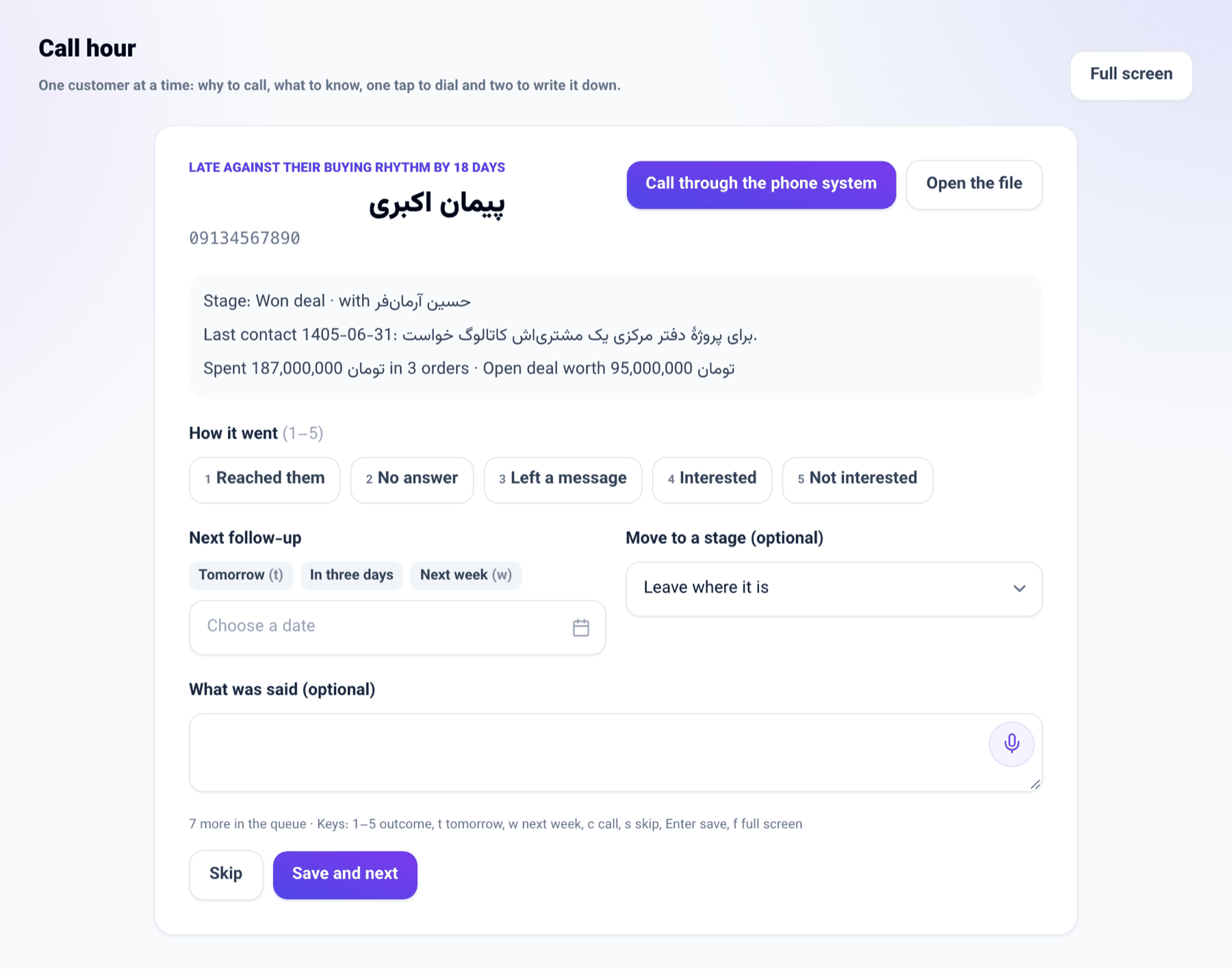
Call hour is a full-screen page for a salesperson that shows one customer at a time, in this order:
- first customers who are late against their usual buying rhythm, biggest spenders first;
- then the leads Predict reads as most likely to buy;
- last, your own follow-ups due today.
Beside each customer is the reason to call and three lines: where they are in the pipeline, when you last spoke and what about, and what they have bought or what the deal is worth. Only your own customers and unclaimed leads come up, and somebody you already rang today does not come back.
How to use it
- From Today go to Call hour. Press Full screen if you like.
- Press Call. With a phone system connected and an extension of your own, your phone rings first and then the customer is dialled.
- After the call, tap how it went and pick the next follow-up day (tomorrow, in three days or next week).
- Press Save and next. The call is filed on the customer's file and the next customer comes up. Skip sets them aside for this sitting.
Good to know
- On a computer, use the keys: 1 to 5 for the outcome, t for tomorrow, w for next week, c to call, s to skip, Enter to save and f for full screen.
- If you also move the stage, the pipeline's rule holds: a lead still in play needs a next follow-up date.
- The list is rebuilt every time; a customer a colleague has just rung drops out of yours.
- The same list is in the chat console: ask "Who should I call next?".