Automation history is written in the business's language

The summary of every automation run and the result of each of its steps are now written in the language you chose for the business, not in English.

Product update 1 min read

What changed
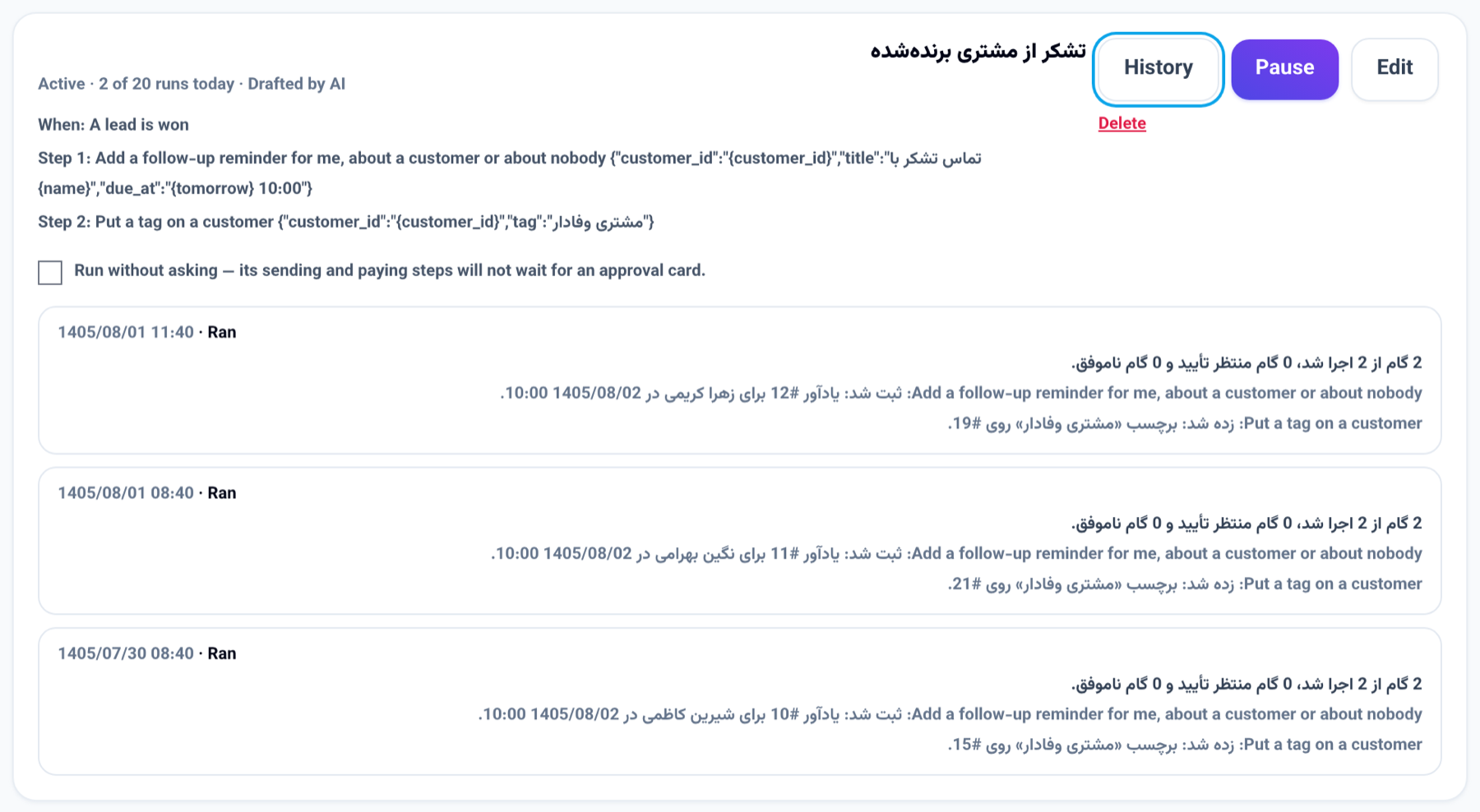
An automation's history: each run's summary and step results written in the business's language

Automations run in the background, when nobody has the panel open, so until now a run's summary ("1 of 1 steps ran…") and its steps' results were sometimes written in English. Every run is now written in the "Business language" — the language the business talks to its customers in.

How to use it

  1. Open "Automations".
  2. Press "History" beside an automation; the summary and the step results are in the business's language.
  3. To change the language, change "Business language" in the business settings.

Good to know

  • Runs written before this change stay as they were written.
  • "Preview and test" is still shown in your own language, since you read it as it happens.

More from the blog

Product update

The phone app sends a call's recording and reads a business card

In the NabuOS phone app, Log this call? now takes the call's recording too, and its summary fills in the call you just logged. On the Customers tab, a photo of a business card from the camera or the gallery is read and saved as a lead. Both need the new app build.

Product update

Owner reports and approvals now reach Bale too

The AI employees' report, the reply coach's weekly report, business alerts, the cash radar warning and document approval requests now come from the business's own Bale bot as well as Telegram — and a document can be approved right there with /approve_doc_N.

Missing something?

Tell us what to build next. Most of what is announced here started as somebody’s suggestion.

Suggest a feature