AI reply coach — see your bot's week and teach it
A new tab shows how many conversations the AI that answers your customers closed without a person this week, why it handed the rest to your team, which questions it had no answer for, and where a customer seemed unhappy. Answer an unanswered question once and it goes into the knowledge base.
Product update 2 min read
What changed
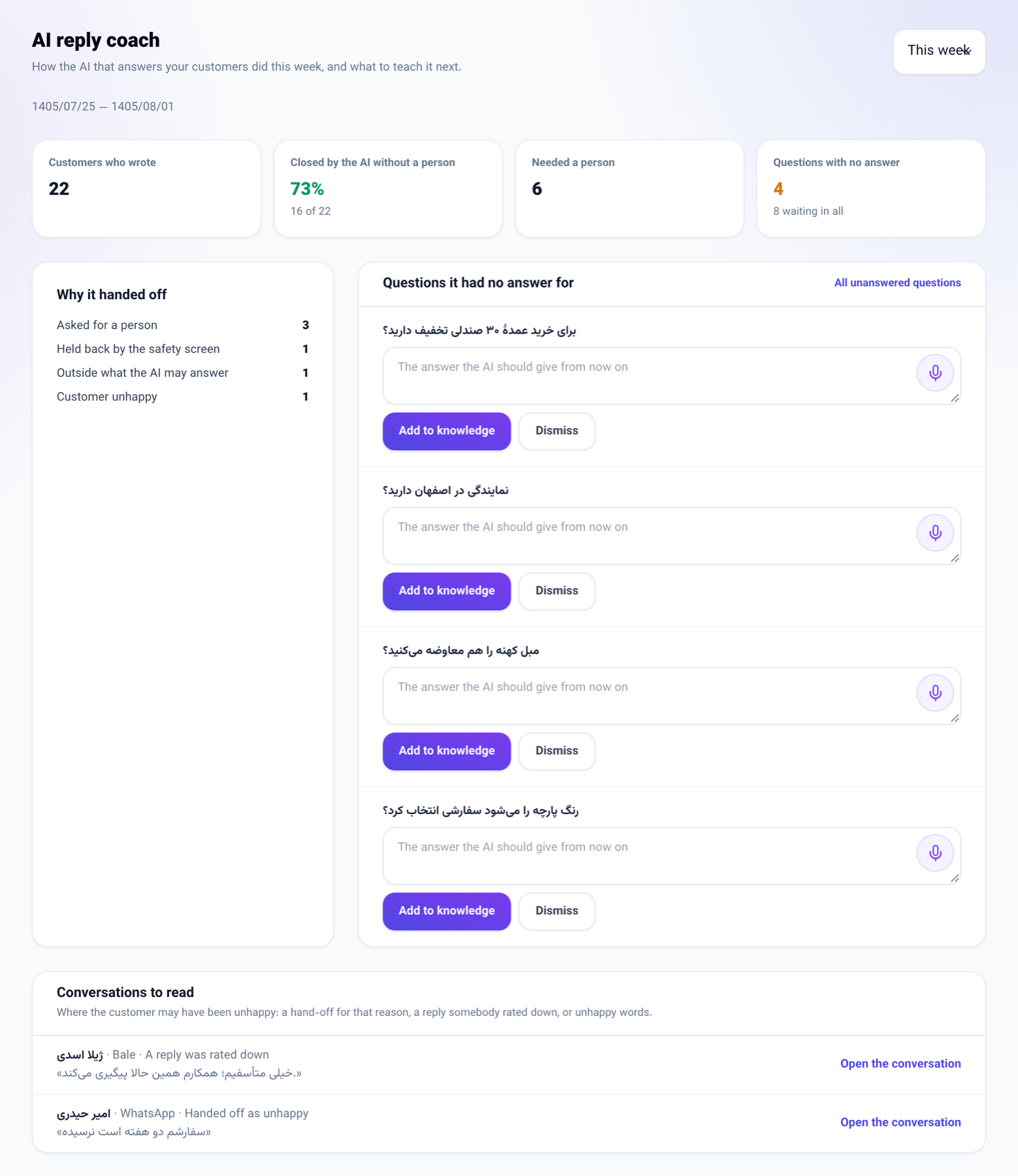
AI reply coach sits next to AI workforce. Every channel the bot answers on — Telegram, WhatsApp, Instagram, Bale, the website chat and the others — is counted:
- Closed by the AI without a person — conversations the bot answered with no colleague needed.
- Why it handed off — the customer asked for a person, was unhappy, asked something outside what the AI may answer, or was held back by the safety screen.
- Questions it had no answer for — each with a box for the answer; Add to knowledge puts it in the knowledge base so the bot answers it from then on.
- Conversations to read — where the customer may have been unhappy, with a link to the conversation.
How to use it
- Open AI and connections → AI copilot and go to the AI reply coach tab.
- Choose This week or Last week at the top.
- For each unanswered question, write the answer the AI should give and press Add to knowledge.
- To get last week's report on Telegram every Saturday morning, press Send it to me every week at the bottom.
Good to know
- The tab is for the owner and administrators of the business.
- The weekly Telegram report is off until you switch it on, and arrives only if your Telegram is linked to your account.
- For a business that answers in Persian the week starts on Saturday; otherwise on Monday.
- An answer added here is also sent to the customer who asked, when their channel allows it — as on the Unanswered questions screen.
- Hand-off reasons are recorded from today; earlier weeks do not have them.