Custom fields the AI fills, with its reason beside each answer
Make a custom field the AI fills from conversations, forms, notes and the customer's company website — "Product of interest", "Buying temperature". The reason for each answer is shown beside it, and once you change a value yourself the AI leaves it alone.
Product update 2 min read
What changed
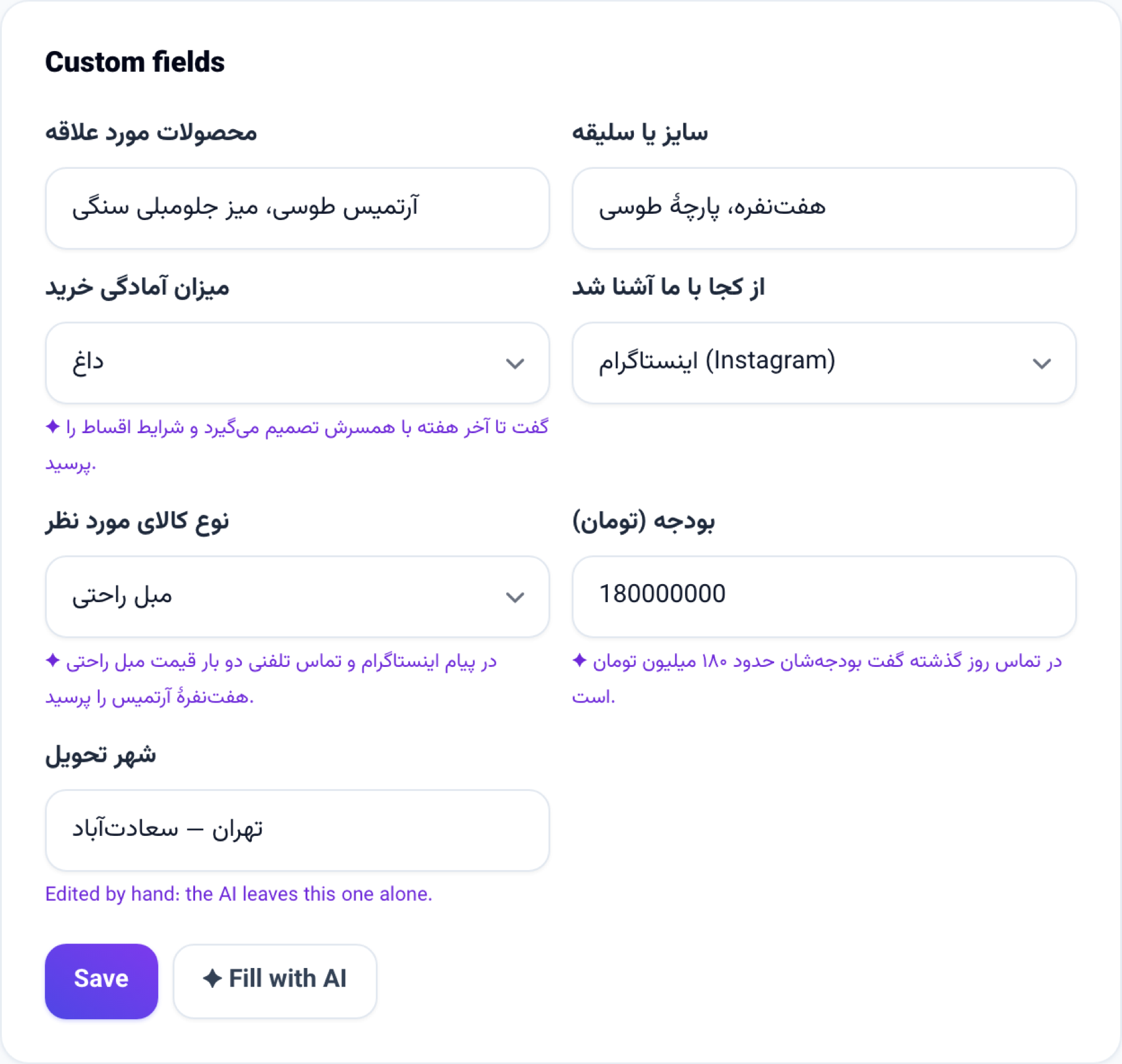
Custom fields have a new kind: Filled by AI. You write what the AI should look for, and where:
- A Choice from a list answer is only ever one of your own choices, and is written only when the AI is sure of it.
- A Single line or Number answer is checked by the same rules a typed value is.
- The field is filled in the background when the customer is added, writes a new message, or their note changes.
- When there is nothing on file to read, the field stays blank and nothing is taken from your AI credit.
- Only what your own business has on the customer is read — never the conversations or notes of another business that knows them.
How to use it
- Open Contacts and leads → Custom fields, and the New field section.
- Attach it to Leads and contacts and choose Filled by AI as the Kind.
- Choose what the answer is (Choice from a list, Single line or Number); for a choice, write one choice per line.
- Write your question under What should the AI find?, and tick where it may look.
- Press Add field.
- On a customer's file, each answer shows its reason underneath. For customers you already have, press Fill with AI.
Good to know
- Change a value yourself and it says "Edited by hand" — the AI never changes it again.
- In Segments you can pick people by a custom field's answer, such as everyone whose Buying temperature is Hot.
- Each fill is charged to that business's AI credit. A burst of messages is read once, a couple of minutes later.
- This kind of field is for leads and contacts only.