The account menu moved to the top of the screen
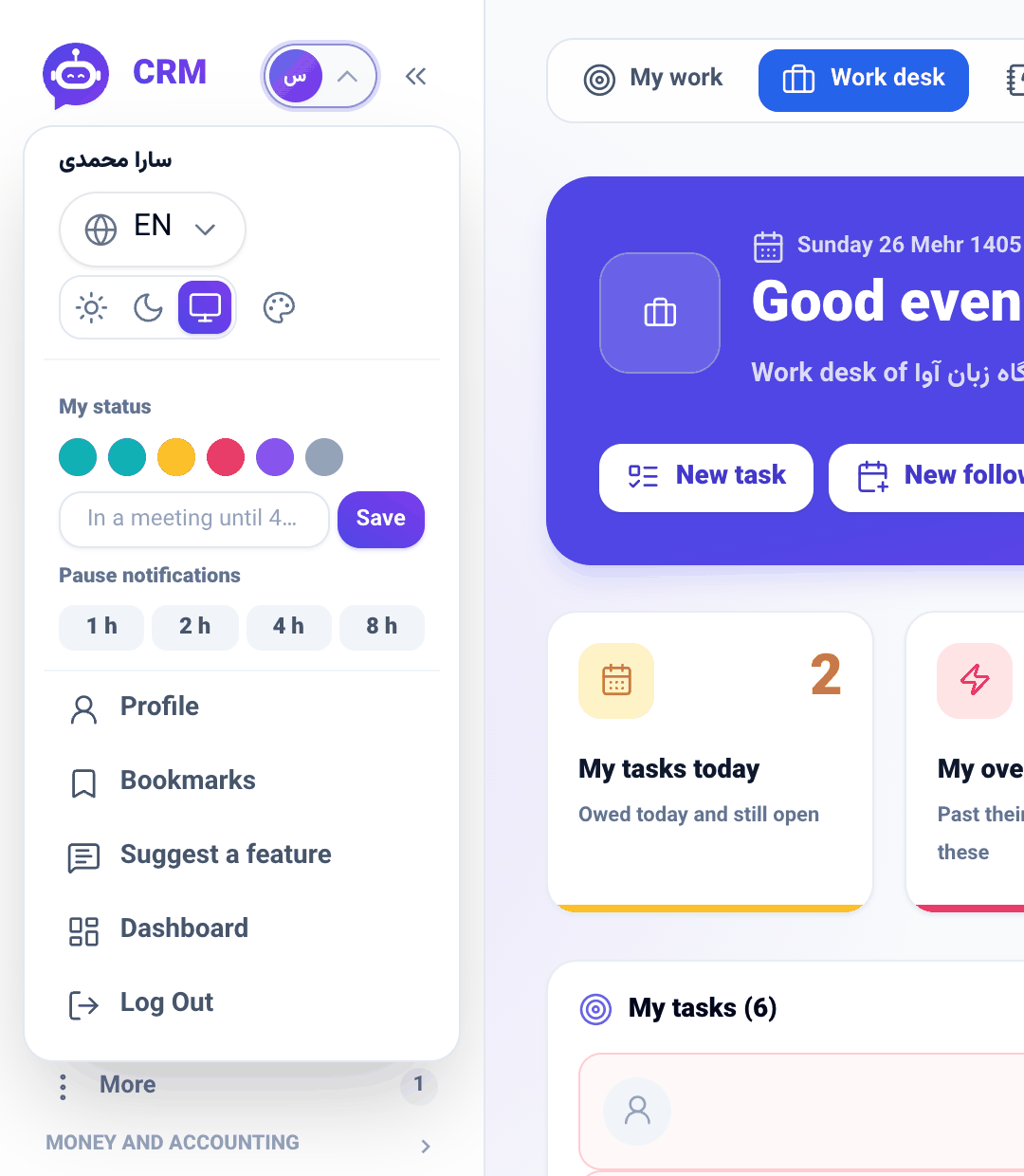
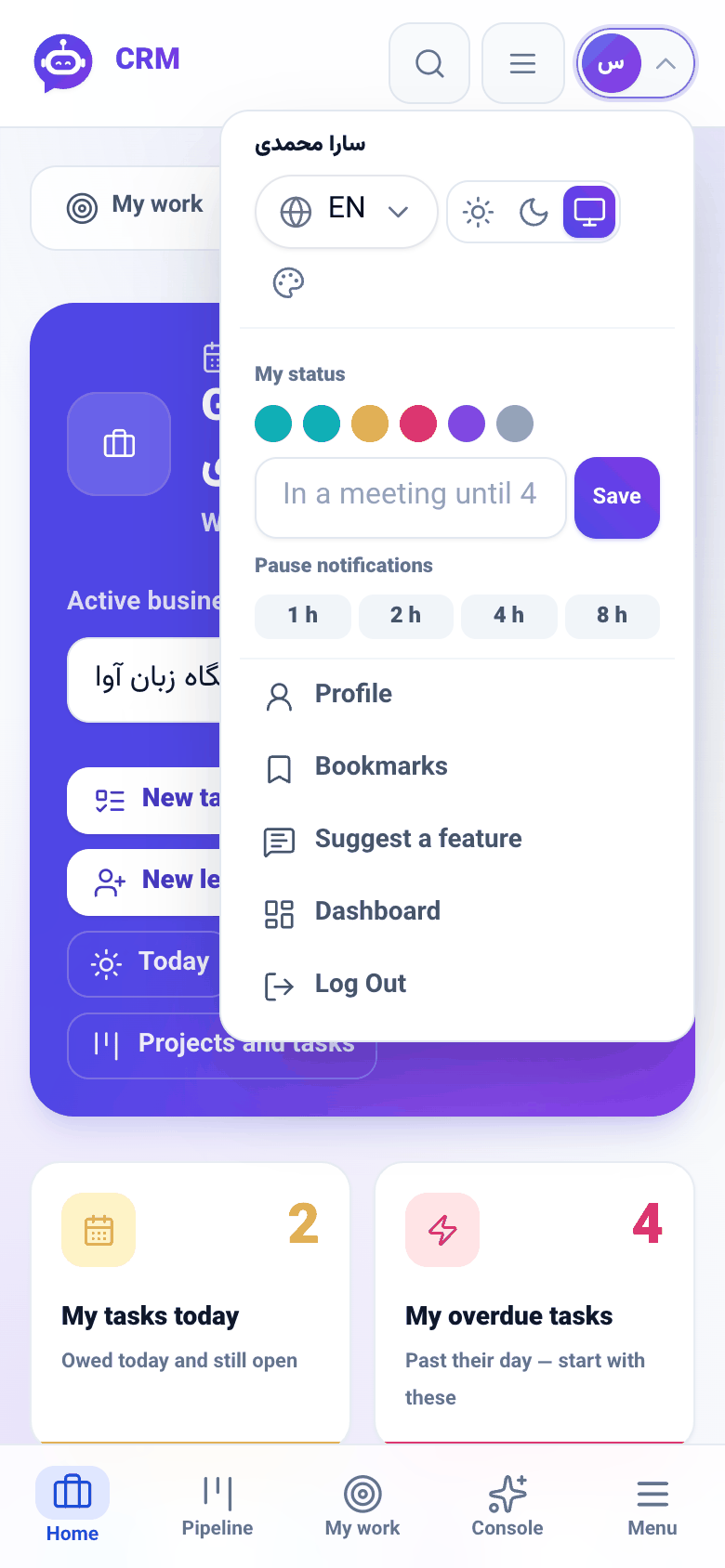
Language, theme, panel skin, profile, the suggestion box and sign-out have left the sidebar's foot and now live behind one avatar chip at the top of the screen — in the phone's top bar and beside the logo on desktop — opening with a tap.
Product update 2 min read
What changed
Changing the panel's language or theme, or signing out, used to mean travelling to the very bottom of the sidebar. These are things you do rarely but always on purpose, and they had ended up buried under the whole list of sections; on a phone, reaching them meant dragging the menu all the way down.
They now sit behind a single avatar chip at the top of the screen: the first letter of your name in a circle, with a small chevron beside it. On desktop the chip sits at the head of the sidebar, next to the logo; on phones and tablets it sits in the top bar, beside the search and menu buttons.
How to use it
- Tap the avatar chip at the top of the screen. It opens on a click, never on hover, so it behaves the same on a touch screen.
- Your name sits at the top. Below it: the language picker (EN), the light / dark / follow-the-system switch, and the Panel skin button for changing how the panel looks.
- Under My status, pick a colour, type a note and press Save. Pause notifications silences them for 1 to 8 hours.
- At the bottom: Profile, Bookmarks, Suggest a feature, Dashboard and Log Out.
- Click anywhere outside the menu, or press Esc, to close it.
Good to know
- The old block at the sidebar's foot is gone, so the sections list now owns the whole column.
- Switching the active business is a separate control, right under the avatar chip on desktop.
- This change began as a suggestion handed in through Suggest a feature; if a corner of the panel rubs you the wrong way, write yours there too.